

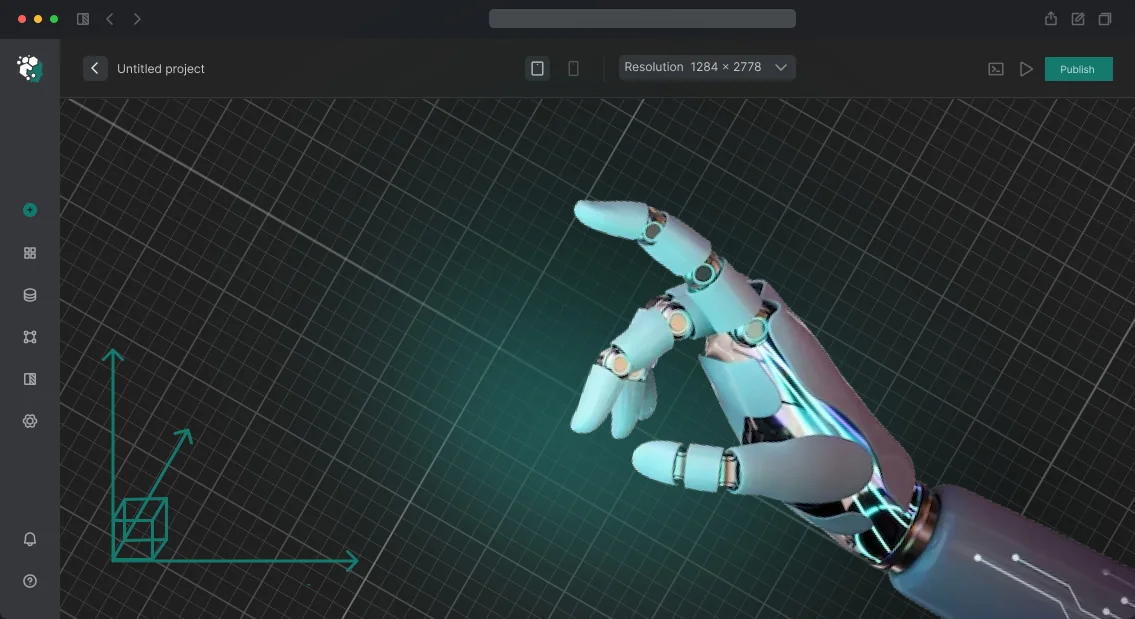






How a Digital Twin of a Manufacturing Workshop Eliminates Downtime and Losses
Every hour of production line downtime means not only unproduced products, but also missed deadlines, overloaded adjacent areas, and profit losses that rarely make it into accounting reports.
A manager sees the final figures at the end of the month, but cannot say exactly where the problem occurred and how much it cost the business.
Existing data — spreadsheets, reports, scattered metrics — describes what has already happened but doesn’t answer the key question: what exactly is preventing faster and cheaper operation? Decisions have to be made blindly, based on experience and intuition.
Inefficient processes and downtime lead to massive annual losses, and without an objective picture, that amount cannot be reduced.
A digital twin of a manufacturing workshop brings all processes together into a single living model that shows material movement, equipment load, and employee actions in real time.
A manager sees bottlenecks, idle machines, and unnecessary movements not after the fact, but at the moment when quick intervention is still possible. This is not an abstract 3D picture, but a decision-making tool: process optimization becomes clear, measurable, and predictable.
We close the gap between production chaos and a clear picture for management decisions. Our engineers build a digital twin of the workshop that pays for itself by reducing downtime and losses — you start managing production based on facts, not guesses.
Why Plant Owners Choose Virtual Copies of Production Facilities
A production owner loses control when the workshop is a “black box”: decisions are made blindly, and mistakes surface only as downtime and losses.
A virtual copy of the workshop removes that uncertainty: you see what is happening in each area in real time and can influence the situation before it becomes a problem.
A digital twin is not just a nice 3D picture, but a working model of your enterprise. With it, you get the main thing — predictability. We create virtual production copies that help managers make fast, accurate decisions.
Production Control Without Risk
Instead of reports that go stale by the time they are signed, you get an up-to-date picture of the entire workshop. Equipment stops, machine load, material movement — everything is visible in a clear 3D model. This helps reduce downtime and avoid losing money on inefficient processes.
Scenario Planning
Before stopping the line or changing logistics, you can “play out” the situation on a virtual copy. What happens if the machine is placed differently? How will the new supply scheme affect things? Simulation modeling provides precise answers without experimenting on real production.
Staff Training
Newcomers and engineers train on the digital twin rather than on expensive equipment. Mistakes in a virtual environment cost no money and no time — this is a safe way to prepare employees for real work.
Partner and Investor Confidence
A clear workshop model with capacity load forecasts is a convincing argument for investors. They see not abstract slides, but a working business model. This builds trust and simplifies financing negotiations.
Which Virtual Workshop Model Format Solves Your Problem
Each task faces a different audience, so a digital twin of a workshop is not one rigid format, but several visual solutions.
A presentation model convinces investors, an interactive overview version saves clients time, and process simulation helps engineers see bottlenecks without stopping production.
The choice of format determines how quickly the viewer understands the value of your workshop and what decision they make after viewing. We select the right option for a specific task and combine formats when necessary to get the maximum effect from your investment.
| Format | For whom | What it gives the client |
|---|---|---|
| Presentation 3D model of the workshop | Managers, investors, major clients | Clearly shows the scale, logistics, and modernity of production — helps attract financing and strengthen trust |
| Interactive 3D model of the workshop | Sales departments, marketing, remote clients | Allows the workshop to be explored independently from any angle, studying areas and equipment without a real site visit |
| Production process simulation | Technologists, planners, operations | Demonstrates material flow, machine load, and potential bottlenecks — lets you test changes before they are implemented |
| Presentation video based on a 3D model | Broad audience, social media, exhibitions | A short dynamic format that spreads easily, increases brand recognition, and builds trust in your company |
For each format, we prepare an optimal level of detail: from the overall workshop view to individual work zones, depending on what matters most to the viewer.
At the start of the project, we pin down the presentation goal and target audience, so you get exactly the digital twin that works toward your result.
Development Stages of a Virtual Production Copy
A transparent process protects you from missed deadlines and extra costs. We have broken the development of a virtual workshop copy into stages: at each stage, you see the result, make edits, and understand what you are paying for.
Stages of Work
-
Brief and task audit — we capture what problem the digital twin solves: staff training, project presentation, layout planning. We discuss the workshop composition and visualization requirements.
-
Data collection — we visit the production site, collect drawings, photos, and equipment information. This is the basis for accurate model geometry.
-
3D modeling — we create a virtual copy of the workshop: building structures, machines, engineering elements. The model is immediately tied to real dimensions.
-
Interim approval — we show a rough assembly. You check how well the model matches the actual workshop and make adjustments before final detailing.
-
Detailing and animation — we add textures, mechanism movements, and employee traffic. The finished scene looks like a real shot, but without stopping production.
-
Project launch — we export the model into the format you need: an application, an interactive catalog, or video. We test it on your equipment.
-
Final processing and support — we support you after delivery: train the team, answer questions, and help update the model when the workshop changes.
This sequence eliminates misunderstanding and makes the process predictable. You get a working digital twin, not just a pretty picture.
What Is Included in the Delivery Set When Creating a Virtual Workshop
When you order a virtual workshop, it is important to understand: you get not just a picture, but a working tool that remains at your disposal.
We hand over a complete delivery set so your team can use the model, develop it, and integrate it into ongoing processes without depending on us.
The delivery set includes:
- Source project files — all scenes, models, and materials in editable formats, so you can make changes with your own specialists or bring in any contractors.
- Model usage rights — official permission for commercial use: presentations, training, sales, internal systems, without limits on term or territory.
- Documentation — a clear guide for launching and configuring, a description of the model structure, instructions for updating data, and typical modifications.
- Staff training — a short session for your team and training materials, so your people can independently manage the virtual workshop, run scenarios, and make edits.
- Integration with your systems — connection to existing databases, planning programs, or training platforms, so the model works with your real data.
- Free updates and support — for the agreed period, we refine the model as your production changes, fix any issues, and advise your team.
This package removes the main risk — dependence on the developer. After project handover, you control your digital twin just like any other corporate asset.
Case Study: How a Workshop Digital Twin Reduced Downtime and Increased Output
Equipment downtime and unplanned stops consume up to 20% of working time in production. Dispatchers notice the problem when the batch is already late and the bottleneck has come to a dead stop. A digital twin of the workshop solves this before losses escalate into a serious scale.
One client — PromKomplekt Plant — manufactured components for mechanical engineering. Output was constrained by two old lines: they ran at 95% load, while neighboring machines stood idle. It was impossible to understand the situation by eye: the flows of parts were intertwined.
Over 4 months, our team built a simulation of the workshop based on the company’s real data. On the model, the plant’s technologists “played through” more than 12 load scenarios, changed the sequence of part feeding, and redistributed shifts. This made it possible to find a solution without stopping production or buying new equipment.
What Changed in Production
Downtime fell by 30%, and output of finished products grew by 12% — the old lines finally stopped being the bottleneck. The client’s annual benefit came from reduced overtime and fewer missed delivery deadlines.
The project paid for itself in 4 months, and the plant ordered a second phase: now the twin helps plan machine maintenance and predict wear.
This is exactly what working with a digital twin looks like: not a “pretty 3D toy,” but a tool that shows where money is being lost. We apply the same approach to assembly, foundry, and packaging workshops — for any production profile.
How to Choose the Right 3D Visualization Format for Your Workshop?
Choosing a 3D visualization format for your workshop always begins with a question: what exactly do you want to achieve in the end — showing production to an investor, training new employees, approving a layout, or using the model in sales.
The level of detail, visualization type, and budget depend on the goal: for one, a short overview video is enough; for another, an interactive digital twin that can be worked with in real time is required.
Budget and deadlines are the second reference point. If the launch is needed in two weeks, it makes sense to create a high-quality 3D video in a consistent style.
If the model will be used for years — in training, presentations, negotiations — it is better to invest in a richer format that pays off through repeated use without additional shoots or approvals.
The audience determines the level of detail. Investors and management care about the big picture: scale, logistics, safety. Technologists and operators need key components and details.
When different groups view the same model, the right balance of detail helps avoid overload and unnecessary expense. We do not draw everything that comes to mind — we show exactly what convinces your audience.
Technically, visualization can be executed in different styles: from a schematic layout to a photorealistic image. Detail is not an end in itself, but a tool: excessive realism increases budget and timeline without adding value for the viewer.
Our engineers select the format according to the task, so you pay for the result, not for extra polygons and effects.
Ultimately, the choice comes down to three parameters: goal, audience, and usage horizon. Describe your situation to us — we will recommend the optimal format, estimate timelines and budget, so that you get a tool that works for the business, not just a pretty picture.
We Answer Frequently Asked Questions About Implementing Virtual Models
Implementing a virtual workshop model raises natural questions: will the data become outdated, will work have to be rebuilt, who is responsible for accuracy. We answer the most common ones — if your question is not here, our engineers will advise on your specific situation.
What will happen to the model when the workshop changes?
The model is not a static picture, but a working tool. After launch, we maintain it according to an agreed procedure: you provide changes, we incorporate them into the current version. This way the model always matches the real workshop.
Will the model work with our accounting systems?
Yes, we will integrate it into your existing infrastructure without replacing programs. We will connect it to databases and planning systems so the model reflects real equipment load and orders. Employees continue to work in familiar interfaces.
Who is responsible for data accuracy?
During the launch stage, accuracy is our responsibility. We verify the geometry and operating logic. Your team provides operational data using a simple instruction — if needed, we train employees in a couple of days.
How long will implementation take?
It depends on the workshop size and the number of data sources. A typical project takes several weeks. At the start, we set timelines and checkpoints so you understand when you will receive a working model.
Still have questions? We will review your conditions and show how the model fits into your current processes. Request a consultation — we will prepare an estimate for your workshop.Get a Commercial Proposal for Your Task
Every manufacturing workshop is unique: its own layout, equipment, and operating scenarios.
It is impossible to estimate the budget and development timeline of a digital twin “by eye,” so we begin with a short brief — it is enough to describe the task, and our engineers will prepare an accurate commercial proposal for your project. No abstract figures: only concrete solutions and a cost tied to your specifics.
Leave a request through the form below — within one business day you will receive the complete package for making a decision. We will analyze your workshop, offer the optimal visualization format, and specify exactly what you will get as a result.
What is included in the commercial proposal:
- Cost calculation for your tasks — no hidden fees or “fine print.” You see what you are paying for and what result you receive.
- Development timeline with a stage-by-stage breakdown: from the first 3D drafts to the final video or interactive application. Clear dates allow you to plan the production launch or marketing campaign.
- Examples of similar projects from your industry — see how we solved similar tasks, what the results looked like, and evaluate the level of execution.
- Personal recommendation: which format will bring the greatest effect — an overview video, detailed 3D animation, or an interactive digital twin for training and presentations. We will advise where you can save money without losing quality.
- Answers to implementation questions: how to use the ready-made twin, which file formats will suit your systems, and what will be needed for updates.
Send your request — within a day you will understand the budget, timeline, and next steps. Compare the proposal with alternatives with your own eyes, not just by descriptions on a website.