

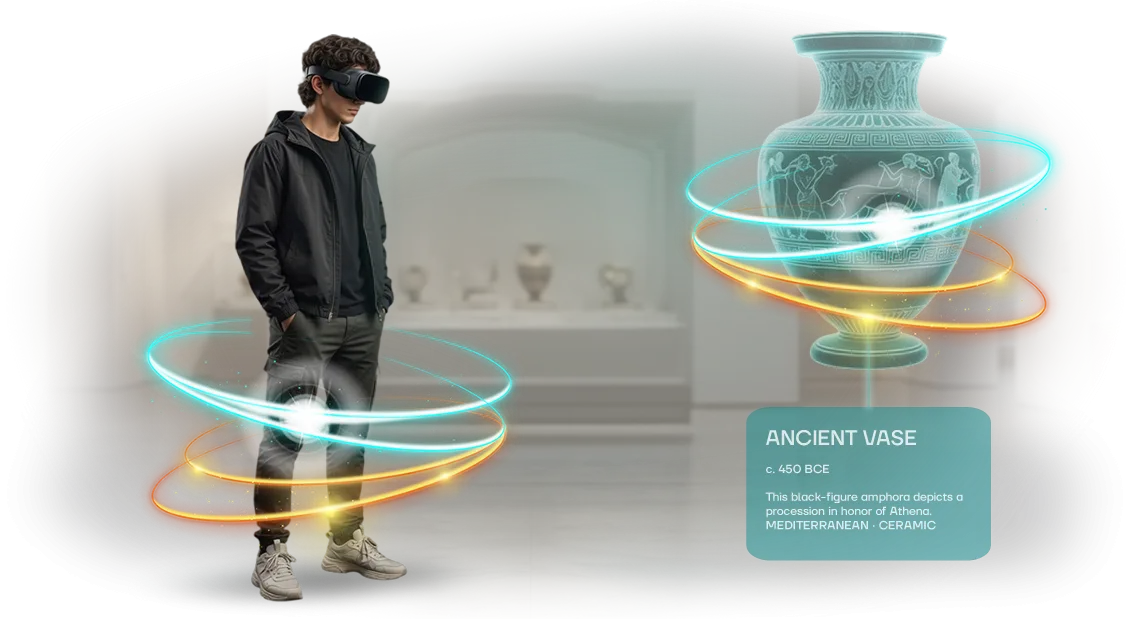






Corporate University Loses Engagement Without VR Tours
When a corporate university delivers training in the familiar format—presentations, webinars, tests—employees complete the program formally. Attention drifts, knowledge is not retained, and staff engagement drops with every content update.
Managers see this in declining results and feedback, but they do not always realize the cause is not the content but the delivery format.
A virtual tour solves this problem. It places the employee inside real processes: a workshop, warehouse, office, historic site, or new facility—everything can be shown in 3D and with interactivity.
The person does not just listen to a lecture but explores the space, makes decisions, and sees the consequences. This turns employee training into an event that is remembered rather than an obligation to be endured.
For a corporate university, this is also a career-guidance tool. New employees get familiar with production in a couple of days instead of weeks, while experienced specialists pass on knowledge through dialogue with the digital space.
Virtual tours suit onboarding, certification, and career-track presentations—each participant sees how the company works from the inside and feels connected to a common cause.
We help corporate universities turn fragmented programs into immersive, living scenarios. A turnkey virtual tour—from route development to integration into your learning system.
As a result, engagement grows, fewer employees drop out mid-course, and HR gets a clear metric: who actually completed the material and absorbed it.
What a VR Tour Gives Business Education
A corporate university exists to turn knowledge into skills and skills into business results. But classic formats fall short: employees get distracted, information is forgotten, and managers cannot see the connection between training and real metrics. A VR tour solves this—it creates an experience, not just information transfer.
We develop virtual tours that integrate into your learning system and support key L&D goals: faster onboarding, lasting retention, and increased engagement.
What you get as a business:
- Fast onboarding. A newcomer gets acquainted with offices, teams, rules, and culture in one session. Instead of several weeks—a few days to full readiness.
- Remote training without borders. Employees from other cities and countries see the corporate campus, production facility, or training center in as much detail as if they had visited in person. Savings on travel, consistent knowledge levels across all branches.
- High engagement. The immersive format holds attention to the end. The user chooses their own route and interacts with objects—this reduces loss of motivation on long courses.
- Stronger HR brand. Candidates see that you use modern technology in training. This makes vacancies more attractive and helps win the competition for talent.
- Scalability and transparency. One tour is available to hundreds of employees simultaneously, and you can see which locations are viewed more often, where people linger, and what interests them most. This is data for improving the curriculum.
VR Tour Formats for a Corporate University
No single format works for every corporate university: different audiences need different scenarios for exploring the campus and programs.
Some study locations remotely, some prepare for an in-person visit, and some are already in training and want to quickly find a classroom or laboratory.
The right VR tour format shortens the path to a decision: it helps choose a program, reduces newcomer anxiety, and saves tutors’ time.
| Format | For Whom | What It Gives the Client |
|---|---|---|
| 3D campus tour | Applicants and new employees | Full immersion in the space without traveling, more program applications |
| VR tour with headset | Managers, partners, distinguished guests | An impressive infrastructure presentation in 10 minutes instead of a one-hour walkthrough |
| Virtual showroom of learning spaces | Methodologists and instructors | Visual demonstration of classroom facilities when approving programs |
| Interactive tour with scenario selection | Distance-learning students | Self-directed exploration of the environment at their own pace, higher engagement |
We combine formats to fit the task. If the main goal is reach, we create a lightweight 3D tour that opens on any device. If you need to impress a delegation, we organize a VR session with headsets and a guide.
One campus can support several formats at once: content is created once and then adapted for screen, headset, or event platform.
Integration with a distance-learning system is possible: after a lesson, a student “moves” to a virtual laboratory and reinforces the material in an interactive environment.
This approach increases course completion rates and gives the university a clear analytical report on user activity. For in-person events, we configure a demo mode so guests can navigate the tour easily without preparation.
Step-by-Step Process for Creating a Virtual Tour
We structured the process so you always know what stage the project is at and what you will receive. No “black boxes”: you approve key decisions, see intermediate versions, and make edits before launch. This saves budget and eliminates surprises at the final stage.
- Brief and interview with you — we record the university’s objectives, audience profile, and tour goals: career guidance, employee onboarding, campus demonstration. We determine how many objects and what detail levels are needed.
- Tour scenario — we design the route: where the visitor appears, in what order they view spaces, and what interactive points (video, documents, diagrams) they encounter along the way. We align the narrative logic—it must lead the guest toward the desired action.
- Layout and visual style — we develop the layout and appearance of the virtual space in line with the university’s brand style. You see the plan and approve it before detailed work begins.
- Assembly and content — we build the 3D space, add texts, photographs, videos, and interactive elements. At this stage, a working prototype appears that can already be opened in a browser.
- Testing and revisions — we check correct operation on different devices, load speed, and ease of navigation. You receive a link to the test version and send your wishes—we make edits before launch.
- Launch and integration — we place the tour on your website or in the distance-learning system and configure access for employees and students. We check that everything opens without errors.
- Support and development — after launch, we stay in touch: we update content, add new audiences, and monitor stable operation. If the university grows, the tour grows with it.
At every stage you receive a clear result: first the scenario, then the layout, then a working prototype, and finally the finished product.
This approach has been proven across dozens of projects for business and education—it keeps you on schedule and delivers a tour that is actually used.
What Is Included in the VR Tour Delivery
The client receives not just a VR video but a ready-made training tool that can be launched immediately after handover. The delivery package includes everything needed for operation and for your team to develop the tour independently—from content to editing rights.
- VR content — a ready virtual tour of your campus, office, or learning space, adapted for corporate university scenarios. Employees and students immerse themselves in the environment and explore it at their own pace, without losing focus.
- Learning scenarios — methodological materials with use cases for the tour: onboarding new employees, presenting the company to partners, or training internal instructors.
- Administration — an easy-to-use control panel that lets your specialists update information, change route points, and add supplementary materials without contacting developers.
- Administrator training — a personal session with your team, after which employees confidently work with the system: setting access, updating content, and monitoring completion statistics.
- Project source files — we provide editable source files and full documentation. The client is not locked into the contractor: if needed, you can develop the project with us or with another team.
- Guarantee and support — we ensure stable operation of the tour, timely updates, and consultations during the warranty period. The tour always stays relevant even if training conditions change.
All of this is packaged into a single turnkey delivery. You get a full-fledged asset for the corporate university that can be used repeatedly and developed without additional initial investment.
Case Study: How a VR Tour Increased Employee Loyalty
For the TechnoLogistics Corporate University, we created a virtual tour of production sites. Previously, new employees got to know the enterprise through presentations and brochures—the material was poorly absorbed, and onboarding took up to four weeks.
The training manager asked us to shorten the time to full productivity and increase engagement. We proposed a VR tour format: the employee “walks” through workshops, warehouses, and the office, interacts with equipment, and sees work processes from the inside. This turned a dull lecture into a living experience.
Implementation Results
Three months after launch, we collected metrics. The table shows key changes:
| Metric | Before Implementation | After Implementation |
|---|---|---|
| Share of employees who completed onboarding | 62% | 91% |
| Average new hire onboarding time | 4 weeks | 2 weeks |
| Training satisfaction score | 3.8 out of 5 | 4.7 out of 5 |
| Employee Net Promoter Score (eNPS) | 12 | 38 |
The VR tour not only accelerated onboarding but also increased loyalty: employees felt part of the company before their first working day. Many went through the tour again—it became part of corporate culture.
After the pilot launch, the client ordered additional scenarios for regional branches. We are already preparing a VR tour for a warehouse and logistics center, and managers from other divisions are asking to adapt the solution to their needs.
Frequently Asked Questions About Implementing VR Tours
Before launching a VR tour, clients ask the same questions: will we stay on budget, how long until results appear, how to integrate the tour into current processes.
We make virtual tours for corporate universities and are used to answering these concerns transparently. We have collected the main answers—so you can see the full picture before starting and make a calm decision.
How long does it take to create a VR tour?
A typical project takes 2–4 weeks, depending on the number of locations and the level of detail. As early as the second week, we show a preliminary version so you can evaluate the style, ease of navigation, and make edits in time.
How can we stay within budget?
We provide the exact cost after the brief: it is based on the number of scenes, the interactive elements required, and the usage format—for internal training, for applicants, or for partners.
We fix the price at the start and do not exceed it during the process, so your expenses are predictable and there are no hidden charges.
How will the tour fit into our processes?
The tour opens in a regular browser—no installation is required for employees or guests. We place it on the corporate university website, in the distance-learning system, or on a dedicated page, depending on your task. It suits new-hire onboarding, internal training, and university presentations at open houses.
Will we need special equipment?
No—most users go through the tour on a laptop, tablet, or smartphone. If you want a full-immersion effect at events, we can arrange a VR headset demonstration: we use our equipment or connect yours—those are details for the brief stage.
Start Your Project and Get a VR Tour in 4 Weeks
We understand that a corporate university needs a modern training format, but launching a VR tour often seems long and complicated. We have packaged the process so that no more than four weeks pass from request to finished product.
During this time, we go from defining the task to launch: we analyze the audience, design the scenario, build the 3D space, and conduct a test screening. You receive a working product that integrates immediately into the university’s curricula and events.
What you get after submitting a request:
- A personalized consultation—we will determine which VR tour format suits your university.
- A cost and timeline estimate for your task, with no hidden conditions.
- Examples of our projects for educational institutions.
- A clear launch plan with dates and areas of responsibility.
- A pilot project: we first test the tour on one group of students, then scale it.
- A finished VR tour in 4 weeks, with team training and post-launch support.
Week one—setting the task and scenario. Week two—creating the 3D space and navigation. Week three—filling in content and testing with a real audience. Week four—final adjustments, packaging, and turnkey handover. At each stage, you see intermediate results and make edits.
Submit a request—and we will send you a cost and timeline estimate for your corporate university within one business day. The project can really be launched this month, not next quarter.
How to Choose the Right VR Tour Format for Your Task?
Choosing a VR tour format is not a technology question but a question of matching your task. An overview tour for applicants is one thing; an immersive experience for employees, where every step must carry a training or assessment function, is quite another.
For a corporate university, standard “showcase” solutions with generic panoramas almost never work. You need a scenario that responds to internal regulations, certification logic, and the goals of a specific program.
So we start not with the picture but with questions: who is the user, what should they remember, and what result do you want to measure—a passed test, changed behavior, or simply engagement.
Content adaptation is critical here. We rework your lectures, briefings, and presentations into interactive episodes: add a choice of the “correct” action in a warehouse, test safety knowledge, or take users through social facilities with historical context.
This approach requires an individual arrangement of interactive points and integration with your learning system—it is a separate design stage.
So, if you have a specific task, do not choose a format from a catalog. Write a short description of the scenario (what the employee should do in a headset or through a browser)—and we will propose a suitable implementation option.
We handle the whole thing turnkey: we analyze the scenario, design the logic, connect it to the curriculum, and provide support at launch.