

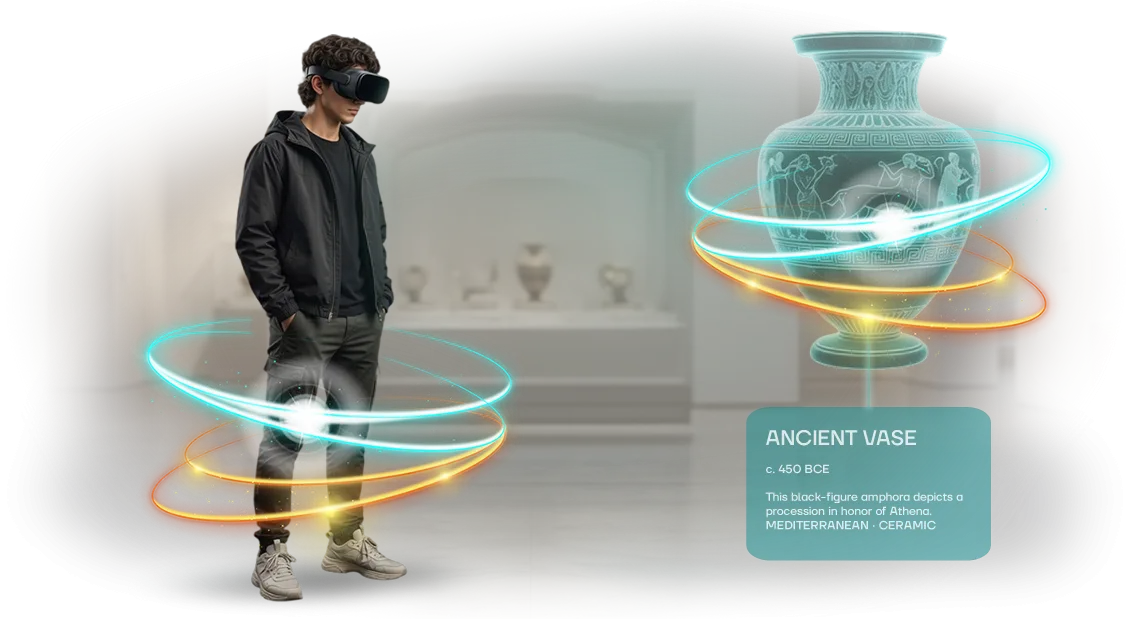






Clients don't make it to your office center? Show it virtually
A potential tenant won't travel to see an office if they haven't seen it on a screen at least. Photos and a floor plan don't convey the sense of space — the scale of the lobby, the light in the meeting room, the convenience of the layout. As a result, meetings fall through, negotiations drag on, and square meters sit empty.
A virtual tour of an office center solves this problem. The tenant walks through floors and offices, evaluates window views and the space's logistics — without leaving their own office.
This removes the main objection, "I'll see it first, then decide," and shortens the path to a personal meeting.
A 3D tour with a property walkthrough works as a full-fledged presentation of the premises. You send a link to an interested company — they see the space in a realistic format, return to it several times, and show it to colleagues and partners. Such material sets your center apart from competitors who limit themselves to static photos.
Tenant attraction becomes systematic: no need to gather everyone for in-person tours. Hold online presentations, send curated sets of options, filter out irrelevant inquiries before the first call.
The leasing department stops spending hours on tours for uninterested visitors, and those who come after a tour are already ready to sign a lease — only terms need to be discussed.
A virtual tour works around the clock: the link is available at any time, and it can be embedded on a website, in an email newsletter, or in an investor presentation.
We create such a tour turnkey — professionally shoot the premises, build realistic 3D models, and assemble a tool that sells the office center while you focus on closing the deal.
What a virtual tour will bring to your property: trust, reach, leads
When a potential tenant sees only photos and a floor plan, the decision to schedule a viewing is postponed: it's hard to imagine what the lobby, elevator area, and window views look like.
A virtual tour removes this barrier — the client walks through corridors, assesses scale, lighting, and finishes, and within minutes understands whether the space suits them. In this way, you shorten the path from first contact to contract.
Trust in the company is built on transparency. An open virtual tour of an office center shows that the owner has nothing to hide: the actual premises, entrance area, meeting rooms, and reception look exactly as they do on screen.
The tenant arrives with the feeling that they've been there before — this removes objections and increases loyalty to the property even before the meeting.
A business property's visibility grows because the tour is easy to share: the link can be sent via messenger, embedded in an investor presentation, or posted on a website and social media.
Companies from other cities and even countries looking for a representative office or a meeting venue view the property. Thus, audience reach is no longer limited to your region, and marketing campaigns become more vivid.
Lease inquiries arrive better prepared: the tour visitor has already studied the floor plans, understood the logistics, and consciously requests a specific block.
Fewer empty walkthroughs, more meaningful meetings — managers spend time not on basic questions but on negotiations and booking. In the end, a virtual tour works as a sales tool that pays for itself with the first deal.
This is not just a "nice 3D picture" for a website, but a full-fledged marketing asset for the business owner.
It builds trust, expands the client geography, and fills the funnel with relevant inquiries — exactly what an office center owner needs to lease space faster and strengthen the property's reputation.
Virtual tour formats: choose the one for your task
For an office center, the virtual tour format must address a specific goal: show available space to potential tenants, help visitors navigate at an event, or allow remote inspection of meeting and conference rooms.
There is no one-size-fits-all solution for every scenario, so we select the format based on the desired outcome.
All the listed formats are created with professional equipment and open on a computer, tablet, or smartphone without installing apps. You simply embed the tour on your website or send a link — this saves tenants time and makes information about the center available at any time.
| Format | For whom | What it gives the client |
|---|---|---|
| Panoramic tour | Landlords and leasing departments | A potential tenant sees the lobby, floors, and meeting rooms without a visit — irrelevant inquiries are filtered out and decisions about actual viewings are made faster |
| Interactive floor plans | Building managers, visitors | Help find the right office or conference room, reduce load on reception, and simplify navigation at events |
| Virtual showroom | Marketing and commercial department | Remote demonstration of finishes and layouts, reach tenants from other cities, ready-made material for advertising |
| 3D room tour | Owners and investors | Visual inspection of the property at a convenient time, reuse in presentations and negotiations |
If you are unsure where to start, choose a panoramic tour — it provides maximum reach and can easily be supplemented later with interactive floor plans and a virtual showroom.
We will help you decide on a format during a consultation and show examples of projects for office centers.
How a tour is developed: from brief to launch
We structure the process so that you understand every step and don't have to deal with technical details. You participate in approving key decisions, and we handle all implementation — from the first shoot to the launch of the finished tour. Below are the stages of developing a tour for an office center.
- Brief and task analysis — we discuss the tour's goals, audience, and key areas of the office center. We create a technical specification for 3D modeling so you can immediately see the scope of work and deadlines.
- Plan and estimate — we lock in the stages, timelines, and cost. You receive a transparent schedule with no hidden work or unexpected surcharges.
- Shooting and material preparation — we visit the site, handle professional photography or 3D scanning, and simultaneously prepare the visual concept for the premises.
- Interim version approval — we show a draft build of the tour. You provide edits on the set of rooms, viewing points, and information markers — we quickly adjust the project.
- Final assembly and testing — we combine the panoramas into a single route, set up transitions and navigation. We check usability on computers, tablets, and smartphones.
- Launching the tour on your website — we place the tour on your site or our platform, embed it into sections about leasing and infrastructure. You receive a ready link for mailing and an embed code for any page.
- Support after launch — we update the floor plan, add new rooms, and monitor loading speed. The tour stays up to date as the office center develops.
What's included: a package for the owner and marketing
After the project is completed, you receive not just a link, but a ready-made set of materials for the owner and marketing.
Everything is packaged so you can launch promotion immediately after delivery — no additional work, no searching for contractors, and with a clear user guide.
- Ready virtual tour of the office center: visitors walk through the lobby, floors, and meeting rooms, assessing the layout and atmosphere. This is a pre-sale before the visit and a filter for unqualified tenants.
- Interactive hotspots: descriptions of areas, room specifications, and lease terms with a click. A tenant immediately sees that the center meets their needs.
- Audio guide for the office: a story about the location, transport accessibility, and services. Visitors get to know the center without a phone call and without a manager.
- Social media materials: review videos, vertical videos, and frames for posts and stories. Marketing gets content without a film crew.
- Demo version for negotiations: the tour on a tablet or laptop for showing to a tenant. Brokers quickly introduce the property to clients.
- Instructions and usage rights: a guide to embedding on your website and in email campaigns; all materials remain at your disposal.
In the end, you get a tool that shortens the deal cycle and increases the office center's visibility. Marketing launches a campaign, and the leasing department uses the tour in meetings.
Case study: how a virtual tour helped fill a business complex
The developer of the Business Quarter complex faced a typical pain point: potential tenants were choosing among a dozen properties, and many rejected an office even before viewing.
Inspecting several blocks took almost a full day, and remote companies couldn't assess the layout or finish quality. So we suggested replacing part of the physical tours with a virtual tour.
How it went
We created an interactive tour across all floors: lobby, meeting rooms, open spaces, and offices. A tenant can walk through the property from any device, without installing software, at a convenient time. The tour was embedded on the complex's website and in mailings to potential clients.
Result of implementing the tour
Two months after launch, the number of viewing requests grew 2.5 times, and the time to decide on a block dropped from a week to two or three days. Account managers filtered out irrelevant requests before the meeting — the commercial department was unburdened.
The complex's occupancy reached the planned level ahead of schedule, and the client extended the project to a new building.
The metrics confirm: a virtual tour works as a filter and an accelerator for deals. The company spends fewer hours on tours, and the tenant arrives with a ready-made decision. For a business complex, this is a direct path to higher occupancy without additional advertising.
What if you have a non-standard office center or special requirements?
A non-standard layout of an office center is not an obstacle but an interesting challenge for our team. We have worked with properties of all kinds of configurations, from open loft-style spaces to multi-level business centers with complex transitions and technical areas.
Each such project requires an individual approach, and that's exactly where our experience lets us find a solution that works for both you and the future visitors of the tour.
Corporate style for us is not just a set of colors and logos. We design the tour scenario so that it reflects the character of your company: for a formal bank office, this will be a restrained business presentation; for a creative space, a lively and dynamic one.
At the same time, all elements of the tour — from the opening splash screen to transitions between locations — are aligned with your brand identity, so the virtual visit feels like a natural extension of the brand.
Special requirements are also not a problem. If you need to show areas that are normally closed to visitors or, on the contrary, hide part of the premises, we implement that during the development stage.
We can also add features useful to your clients or tenants, such as navigation to key points or inserts with infrastructure information. The key is that you set the priorities, and we offer solutions that match your goals and budget.
In the end, you get not a template tour, but a tool that serves your business goals: it helps show the property to remote clients, saves time on in-person tours, and strengthens the impression of your office center.
If you're unsure whether this format suits your space, contact us, and we'll advise on how to implement it in your case.
Frequently asked questions about virtual tours for offices
Before ordering a virtual tour for an office center, clients most often ask about timelines, floor plan updates, and support. That's expected: these details determine how smoothly the launch goes and how long the tour remains useful. We answer the main questions — without fine print or technical complications.
How long does it take to develop a tour?
A standard project for an office center takes 5 to 10 business days from scenario approval. This includes shooting, image processing, assembling interactive zones, and testing on different devices.
If you need it faster — for example, for the opening of a new block or a major event — an accelerated format is available. We arrange the schedule so you get the finished link exactly by the required date.
How do I update the floor plan if rooms change?
Office layouts and tenant rosters change over time — this is accounted for in the tour's structure. The tour is assembled in blocks, so when changes occur, only the affected areas are replaced, not the entire project.
You won't have to pay for a full reshoot. Just send new materials or have our photographer come for one floor — the rest will be updated in a couple of days.
What does post-launch support include?
We don't hand over the project and disappear. Support includes checking that the tour works, updating links, helping with website placement, and adapting it to new sections of your business center.
If visitors report inaccuracies or something displays incorrectly — you contact us, and we resolve the issue within one business day. As long as the tour is live, it remains our responsibility.
Do visitors need to install any software?
No. The tour opens in a regular browser on a computer, tablet, or smartphone — no app downloads or registration required. A visitor clicks the link and, within seconds, is already in the lobby of your center.
This is also important for tenants: they can embed the tour on their page, and their clients will see the office without extra steps.
Order a virtual tour — get lease inquiries
Imagine: a potential tenant is looking for space in your business center. They open the website, see photos, and... hesitate. A virtual tour removes the hesitation: the person walks through corridors, looks into offices, and evaluates light and layout without leaving their city. This way, you get warm leads, not just ad views.
Ordering a virtual tour is not just a nice website gimmick. It is a tool that turns a view into a lease inquiry. We will prepare a ready-made solution for your property that is easy to embed on your website, presentation, or email campaign.
What you get when you submit a request:
- A free consultation on a 3D tour — we'll advise which format is best for your building and budget.
- An accurate cost estimate for the tour project within 1–2 days — you'll understand the scope of work and timelines before you start.
- An interactive tour that works on any device: laptop, tablet, smartphone.
- Suitable for management companies, owners, and brokers — the tour can be used on property platforms, in correspondence, and in email campaigns.
- The ability to add hotspots with lease information: area, rate, terms.
- Post-launch support: after updating the floor plan, you'll quickly receive the latest version of the tour.
Submit a request — we'll get back to you within one business day. We'll calculate the cost of the tour project and show examples of similar office spaces.
You'll get a clear solution tailored to your task, and tenants will get the opportunity to see their future office without leaving theirs.