


How VR simulators reduce injuries in construction
Construction is one of the most injury-prone industries: heights, heavy machinery, moving structures, and the human factor. Most accidents happen not because of a lack of instructions, but because the worker has not practiced the correct actions in a real situation.
The consequences for business — sick leave, downtime, fines, reputational damage, and increased attention from regulatory authorities.
Traditional occupational safety training often becomes a formality: listened to a lecture, signed the log — and you're back to working as before. Rules are quickly forgotten, and in an emergency a person acts not according to the checklist, but on the level of habits. To form these habits, practice is needed, but training a worker with real risk is impossible.
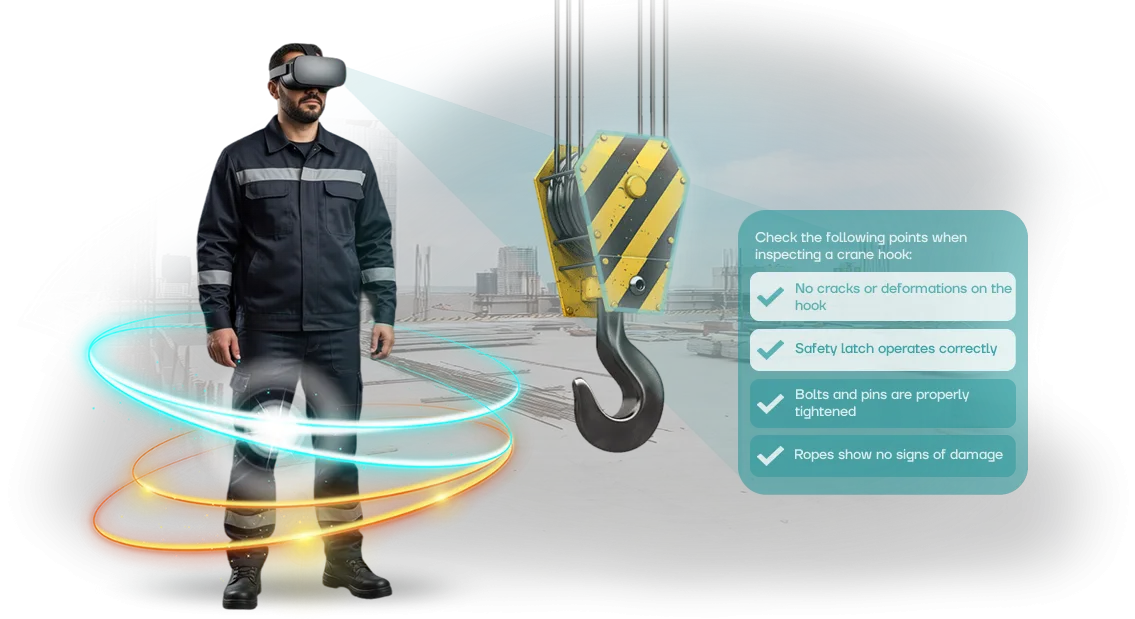
VR training solves this problem. The simulator immerses the employee in a realistic construction site scenario: they see dangerous zones, make decisions, make mistakes, and receive instant feedback — all without any threat to their life and health.
This format holds attention, engages emotions and motor memory, so skills are reinforced more firmly than after lectures.
Practice shows: after VR training, employees notice risks faster, violate rules less often, and act correctly in emergency situations. Industrial safety on a construction site becomes manageable rather than a lottery.
Reducing construction injuries is not only about saving lives, but also about saving on downtime, compensation, and dealing with regulatory authorities.
We develop VR simulators for the specific needs of a particular construction company: your sites, your types of work, and typical hazards. Together with you, we identify the most common incident scenarios and teach employees to act correctly.
This way, occupational safety turns from a mandatory formality into a working tool that delivers measurable results — fewer injuries and greater confidence for every worker in their safety.
What benefits does a company gain from VR safety training
The construction industry loses money annually due to injuries: deadlines are missed, insurance premiums and compensation grow, fines from regulatory authorities arrive.
Most incidents are a consequence of the human factor: a worker doesn't know how to act in an emergency situation. VR simulators make it possible to practice scenarios before going to the site, and for the business this means reduced risks, downtime, and reputational losses.
Savings come from several sources. No need to rent training grounds, purchase consumables, or pull a mentor away for repeated briefings.
The virtual complex replaces many sessions: training takes place in the office or training room, and the employee practices the skill without leaving production. The program is easy to update and scale to new sites, so costs become predictable.
Employee safety after VR training is higher than after lectures. The virtual environment models falls from heights, structural collapses, fire, work with power tools — a person gains experience without a real threat.
In a stressful scenario, they learn to make the right decisions, and skills are reinforced faster and retained longer than in the traditional format.
Staff reaction to this format is almost always positive. Employees perceive VR not as a mandatory chore, but as a modern and interesting experience. Engagement grows: workers themselves analyze mistakes and remember the sequence of actions. For the company, this means a responsible attitude toward safety rules.
Finally, VR training strengthens the company's image. It's a signal to the market that the enterprise cares about people and implements modern tools.
This approach attracts young specialists, increases client trust, and helps win tenders where safety is one of the selection criteria. The investment pays off not only through reduced risks, but also through enhanced reputation.
VR simulator formats for construction: how to choose for your task
VR simulator formats for construction differ not by "hardware" but by the training scenario and audience coverage.
One client needs to check the knowledge of 500 employees at a construction site within a month; another needs to practice in detail the actions during a structural collapse with a dozen engineers. So the task is defined first: mass familiarization, skill practice, or examination.
Below is a table of the formats we use in projects for construction companies. It will help you choose the right option for your task, budget, and number of employees.
| Format | Who it's for | What it gives the client |
|---|---|---|
| Short VR scenario (5–7 minutes) | Workers encountering occupational safety for the first time | Quick immersion in typical risks: heights, electrical hazards, heavy machinery. Suitable for initial briefing of large crews. |
| Full training with branching storyline | Engineers, foremen, safety specialists | Practice of rare emergency situations that cannot be shown at a real site. The employee makes decisions and sees the consequences. |
| VR exam with error recording | Occupational safety department, HR department | Objective assessment of knowledge without an instructor. Results are saved in a report — you can see who made critical violations. |
| Group VR class (5–10 stations) | Companies with a regular flow of newcomers | Training runs continuously: while one person works in the simulator, others complete the theoretical block. Saves up to 40% of instructor time. |
| Mobile VR kit | Remote sites, construction sites without a stationary classroom | Equipment is brought directly to the site; training takes place without interrupting work. No need to gather people at the office. |
The choice of format directly affects the timeline and cost of implementation. For example, if you need to train 300 people in two weeks, a group VR class or mobile kit is optimal.
If the goal is to check the actions of key specialists in an emergency situation, 2–3 full simulators with a branching scenario are enough.
We help choose the format for your task even before development begins: we analyze the number of employees, site specifics, and occupational safety requirements.
As a result, you get a simulator that is used regularly, not a stand "gathering dust in the corner." If you're unsure which option is right, start with one short scenario and assess staff engagement, then scale to other formats.
How VR simulator implementation works: project stages
VR simulator implementation is not buying an "off-the-shelf box" but a structured project that we lead from the first conversation to the working process. At each stage, you understand what is happening, what decisions are being made, and what you get as a result.
Below is the typical path that dozens of companies in construction and related industries have already taken.
- Brief and task audit. We meet, discuss your occupational safety regulations, typical violations, and risks at your sites. We determine which skills employees need to practice first.
- Scenario and approval. We prepare a detailed description of the VR scenario: the working situation, dangerous moments, correct and incorrect actions. You — together with your safety specialists — make edits and approve the version before development begins.
- Creating the VR simulator. We model the construction site, equipment, and conditions close to reality. We develop an assessment system: the system records errors, reaction time, and the employee's final result.
- Pilot testing. Your experts test the simulator in real scenarios. We collect feedback and adjust the difficulty and specific details so the result works for your team.
- Simulator launch and staff training. We install the kit, connect the equipment, and prepare instructors. We run a small pilot launch, after which the training can be conducted for all employees.
- Support and development. We stay in touch: we update scenarios, add new situations for changes in regulations or the specifics of new sites. If needed, we help with technical support and additional equipment.
Each stage ends with a clear result — an approved scenario, working version of the simulator, or ready-to-use system. Thanks to this process, you control the workflow instead of receiving a "black box" at the final stage.
What's included in the VR simulator delivery package
When ordering a VR simulator for occupational safety training in construction, you receive a ready-made turnkey solution. We've configured the equipment, developed the scenarios, and prepared methodological materials — all you have to do is conduct the session. This approach eliminates downtime due to technical issues and saves your specialists' time.
The scope of delivery is fixed in the contract and includes everything needed for full employee training:
- Professional VR equipment — a kit designed for regular use in training rooms and at sites. Includes headsets, controllers, and tracking stations — with a safety margin for years of operation.
- Scenario library for the construction industry — typical hazardous situations: working at height, interacting with machinery, moving loads, actions during an accident. Each scenario is based on real production risks and safety rules.
- Scenario adaptation to your tasks — we add your sites, routes, equipment, and input scenarios. Employees train on a familiar site, not in an abstract environment.
- Methodological materials for the instructor — guides for conducting sessions, action assessment criteria, protocol templates. The instructor doesn't need technical knowledge: everything is laid out step by step.
- Results tracking system — automatically records the employee's actions, completion time, errors made, and generates a report. You see who has truly mastered the skill and who needs to repeat the training.
- Scenario updates and refinement — throughout the entire support period, we make changes based on your feedback: we adjust actions, add new input scenarios. The simulator doesn't become outdated along with your regulations.
- Warranty and technical support — official warranty on equipment and software, replacement of faulty components, usage consultations. Issues are resolved remotely or with an on-site visit — depending on the situation.
All of the above is stated in the contract, so you immediately understand what you're paying for. Each element of the kit solves a specific task: prepare employees for safe work, reduce the risk of violations, and confirm compliance with occupational safety requirements.
Case study: how a construction company reduced injuries by 30%
Construction is one of the most injury-prone industries: every incident at the site means not only a risk to people's health, but also downtime, fines, and rising insurance premiums.
Regular briefings don't help here — employees listen to the rules formally and forget them the very next day.
A large construction holding company approached us with a request to change their approach to occupational safety training.
We developed a set of VR simulators for them, where each worker enters a realistic hazardous situation: working at height, interacting with heavy machinery, an emergency scenario.
The person must make the right decision themselves — and this is exactly what reinforces the skill more reliably than a lecture.
Results of implementation
Over four months, we trained 500 employees — from line workers to foremen. The time for the initial safety briefing was reduced from 8 hours to 2.5, and material retention increased so much that 92% of those trained perform the regulations flawlessly after completing the course.
The key figure is a 30% reduction in injuries within six months of program launch. The additional effect: reduced downtime and compensation costs, improved discipline at the sites.
The holding company not only continued the partnership, but also expanded the program to all its sites, ordering new modules tailored to the specifics of each construction project.
This is a real VR case from practice, not theory from a presentation. We're ready to show the details, the assessment methodology, and calculate what effect a similar solution would deliver for your company.
How to choose the right VR simulator format?
Choosing a VR simulator format starts not with equipment, but with tasks: which specific working situations need to be practiced and which risks at your construction site you want to reduce first.
For a company that trains dozens of crews, speed of launch and ease of replication matter, while for practicing rare emergency scenarios, depth of immersion and the ability to act without consequences matter.
If the goal is a quick briefing on general rules, a panoramic format is enough: the employee surveys a real site, sees typical hazards, and memorizes safe movement routes.
When you need to practice actions during a collapse, fire, or work at height, an interactive immersive simulator is more effective: the person makes decisions, makes mistakes, and corrects them in a safe environment.
The criterion is simple: the more complex the skill and the higher the cost of a real mistake, the deeper the immersion should be.
Also consider the number of trainees and the readiness of the construction site for technical setup. For a central base where all crews undergo training, a stationary complex works; for remote sites — a mobile solution that can be deployed in an hour.
The optimal way to choose a format is to analyze your typical violations and regulatory authority orders: they show which scenario would deliver the maximum benefit for safety and fine reduction.
We help you choose the format for free: we study the specifics of your sites, staff numbers, and current briefing programs, then propose a solution for your tasks.
Send us a list of your main occupations and typical violations at your sites — we'll return a recommendation within two business days.
Frequently asked questions and concerns: what if something goes wrong?
Anyone responsible for construction safety understands: new equipment is a risk of missed deadlines and crew dissatisfaction.
We design the program so these risks are covered from day one: equipment is checked before dispatch, training is adapted to shift schedules, and support stays with you after launch.
Below are answers to the questions most often asked before starting.
What happens if the equipment breaks down at the most critical moment?
We arrive with a spare kit for all key sessions. If a technical failure occurs, replacement takes 15–20 minutes — without canceling the training or wasting the crew's time.
How do you adapt training if workers have different experience levels?
The simulator allows each person to go through the scenario at their own pace. Experienced builders don't wait for newcomers, and newcomers aren't afraid of mistakes — they simply retry and bring the skill to automaticity.
Won't implementation disrupt the construction work schedule?
Training takes the same 1–2 hours as a regular briefing, but happens without leaving the site. We adjust sessions to shifts and breaks so as not to stop work or disrupt the crew's rhythm.
What happens after launch? Who provides support?
A specialist is available throughout the entire project. They help update scenarios, add new risk zones, and resolve scheduling issues — you don't have to deal with technical details.
All equipment is covered by warranty, and a replacement kit is included in the base price. You get not "a box with a manual," but a working system: from the first briefing to the sign-off in the safety log.Order a VR simulator for construction — safety at your sites
A VR simulator for construction is training before going to the site: the employee sees their mistakes in a virtual environment, not on a real site.
You reduce briefing time, lower the risk of injuries, and get reporting: who completed the training, how well they absorbed the material, who needs additional training. Ordering a VR occupational safety simulator means closing the safety issue before an incident, not after.
We deliver a turnkey project: scenarios, content, reporting setup. More than 120 solutions for construction and industry — we know the typical risks: heights, load movement, collapse.
That's why integration happens without missed deadlines, and employees quickly get used to the headset.
When you order, you get:
- A simulator for your sites and regulations — your risks are modeled, not an abstract construction site.
- Post-launch support: we update scenarios when rules change.
- Reporting for the occupational safety department — results are recorded automatically.
- Training for your instructors and methodological guides for replication.
- Result guarantee: timelines and mastery metrics are fixed in the contract.
Leave a request for a VR simulator quote — get a commercial proposal tailored to your scenarios. We'll show recordings of similar projects and offer a pilot: test it on one crew, then scale. Safety at the site is training that employees actually remember.