

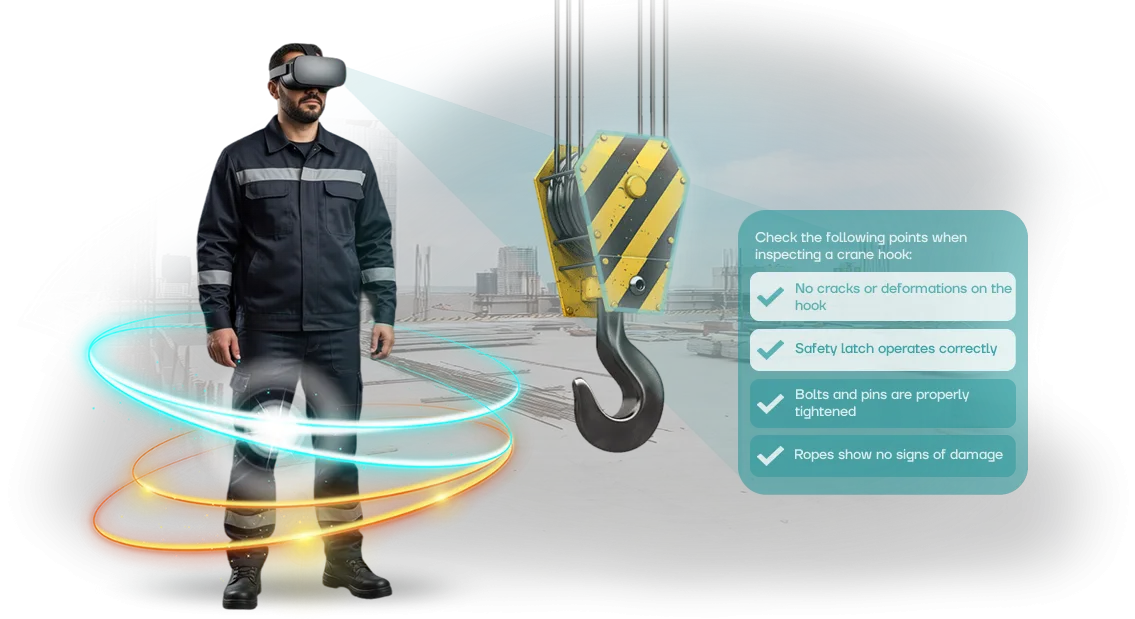

VR Occupational Safety: How to Protect Employees and Reduce Costs
Every day in the workplace, employees risk their health due to unpracticed responses in emergency situations. An injury is not only a person's pain but also a line stoppage, investigations, higher insurance premiums, and fines from regulatory authorities.
Virtual reality allows dangerous scenarios to be rehearsed with zero risk to staff: the worker experiences an accident, fire, or equipment failure and learns to act clearly and calmly — not by a paper manual.
Traditional occupational safety training often becomes a formality: lectures, posters, and tests. An employee remembers the rules, but in a real stressful situation acts on autopilot — and there is no autopilot without practice.
VR simulators provide that practice: a person runs through the scenario repeatedly, sees the consequences of their mistakes, and develops the correct response. In this way, safety on the production floor turns from abstract requirements into a lasting skill.
For a manager, it is important that VR training is easy to fit into the existing schedule: there is no need to stop the workshop, call in emergency services, or risk equipment.
The program records each employee's actions and shows who truly absorbed the material and who needs extra repetition. This is transparent results tracking instead of checkmarks in a logbook.
The main effect is a reduction in incidents and the costs associated with them. A prevented injury or accident pays for the implementation of virtual reality many times over, while also improving staff discipline and confidence.
We develop VR simulators for the specific needs of an enterprise: realistic scenarios, convenient formats, and clear reporting for management. Below, we look at how this works in practice and what is included in the ready-to-use solution.
What Implementing Virtual Simulators for Safety Delivers
Implementing VR simulators shifts occupational safety training from a formal procedure to practical skill practice. The employee enters a realistic environment where they can make mistakes safely, and every mistake becomes a lesson. This approach delivers measurable business results: engagement, safety, and budget savings.
Increased Employee Engagement
Boring lectures and tests fail to hold attention. A virtual simulator engages from the first minute: the employee makes decisions themselves and sees the consequences. Research by PwC confirms that the VR format accelerates material absorption and increases confidence in actions. Knowledge is cemented at the skill level, not just in short-term memory.
Reduced Injuries
A virtual scenario makes it possible to practice actions in emergency situations, from fires to chemical spills. The employee internalizes the procedure and develops automation. As a result, both the number of incidents and the severity of their consequences decrease.
For the company, this means not only people's safety but also fewer stoppages, fines, and insurance payouts.
Training Cost Savings
VR simulators replace consumables, site rentals, and instructor travel. A single digital scenario can be used unlimited times and updated as regulations change. Companies save on every training session, while the onboarding time for new employees shrinks.
Formats of Occupational Safety Simulators for Different Tasks
Virtual occupational safety training delivers results only when the format matches business tasks. For some companies, maximum realism is critical; for others, the ability to quickly train employees across branches.
That is why we split occupational safety simulators into several types and select a solution based on your budget, headcount, and logistics.
| Format | For whom | What it gives the client |
|---|---|---|
| Stationary VR simulator | Companies with a steady flow of trainees — from 30 people per month | Full immersion in emergency scenarios, a uniform assessment standard, and automatic reporting for each employee |
| Mobile VR kit | Enterprises with branches, shift-based rotation, and on-site briefings | Training at the workplace, savings on travel, and fast coverage of sites without major renovations |
| Offline class with VR module | Training centers, small groups, and mixed programs with an instructor | Combining theory and practice in a single session, flexible scheduling, and live oversight from the teacher |
This approach eliminates unnecessary spending: you do not pay for a stationary VR class if you only need one-time training for shift personnel, and you are not limited to the mobile version when deep practice of complex scenarios is required.
All VR simulator formats are designed around your regulations and account for industry standards, including GOST 12.0.004. The result is a clear training system that can be launched within a few weeks.
How We Implement Virtual Simulation in 6 Steps
We have structured the process so that you see results at every stage and can influence the course of the work. No "black boxes": you understand exactly what is happening and make decisions at key checkpoints.
Development of a simulator takes 6–8 weeks on average — the exact timeline depends on the number of scenarios and the level of detail.
-
Brief and task immersion. We study your regulations, typical violations, and real work situations. The output is a technical specification for your approval and a clear understanding of what the simulator will teach.
-
Scenario design. We develop the logic of the virtual simulation: steps, errors, hints, and evaluation criteria. We align the scenario with you so that the training fully matches your instructions and safety standards.
-
Prototype and approval. We build a draft version with the core mechanics. You see how the future simulator looks and works, and you make adjustments before final development begins — this saves time and money.
-
Simulator development. We fill the scenario with details: graphics, sound, and an action assessment system. In parallel, we prepare training materials for the instructor so that launch proceeds without extra involvement from you.
-
Testing and final tuning. We check the simulator against real tasks and run through all scenarios together with you. We resolve any feedback, lock in the result, and hand over the finished solution.
-
Launch and support. We train your employees to use the simulator, hand over the documentation, and support you after launch. If regulations change, we update the scenarios without a long pause in operations.
Transparent sign-off at every stage is your guarantee that you get the simulator your employees truly need, not an abstract "VR solution." You always know where the project stands and what comes next.
What Is Included in the Complete Training System Package
We deliver not just a simulator but a complete turnkey occupational safety training system. You do not need to search for contractors or assemble equipment piece by piece — you receive a working package that operates from day one. It contains everything for regular training and meeting safety requirements:
- Virtual simulator scenarios tailored to your production risks: work at height, electrical installations, fire, hazardous zones, and other situations.
- Training content and teaching materials: instructions, check questions, a results log, and reporting for management.
- Ready-to-use VR equipment: headsets, controllers, and related hardware configured and tested by our engineers.
- Briefing for your team: we show how to run sessions, track progress, and review employee mistakes.
- Support for the entire period of use: we answer questions, help with launch, and update content.
- Warranty on equipment and system operation, with scenario updates when standards and regulations change.
- Backup equipment and spare parts: training continues even if something breaks.
This package eliminates hidden costs, unnecessary approvals, and long implementation. You get a working system in one go instead of a set of scattered parts — all that remains is to assign responsible staff, conduct a briefing, and start sessions.
Case Study: How We Reduced Workplace Injuries
One of our clients — the machine-building enterprise Promstan — faced a problem typical of the industry: safety briefings were conducted as a formality, and new employees made mistakes when working with equipment.
Despite the regulations, the number of micro-injuries and stoppages caused by violations did not decrease. The department head reached out to us with a request: to create training that actually changes people's behavior.
We developed VR simulators that recreate work operations and emergency scenarios at a near-realistic level. The employee trains in a safe environment and immediately sees the consequences of their actions.
The scenarios are built on the enterprise's real incidents, so the worker practices exactly the risks they face every day.
Results After Six Months
- Workplace accidents decreased by 40%: the main indicator of training effectiveness.
- Stoppages caused by safety violations were reduced: employees make correct decisions faster in non-standard situations.
- All shifts were trained without stopping the production cycle — a briefing took not hours but 15–20 minutes per person.
Plant managers note that staff have become more mindful of the rules: instead of a formal box-ticking exercise, training has become real skill practice. The company continued the partnership and scaled the simulators to other sites.
The repeat order for new scenarios confirms that the approach works and delivers measurable value to the business.
Frequently Asked Questions and Doubts Before Launch
Doubts before launch are normal: new technology, budget, timelines. We have collected answers to the questions we hear most often during the approval stage. Below — short and to the point, so you can see the risks and our guarantees.
How much does developing a VR simulator cost?
The cost depends on the number of scenarios and their complexity.
Before we start, we fix the full estimate — no hidden payments or "extras along the way." Typically, the investment pays off after the first prevented incident: reduced injuries and stoppages deliver a quick return.
How long does it take to implement a VR simulator?
We launch the basic scenario within a few days after the mock-up is approved, and a full package within one to two weeks. Integration does not stop production: employees train in parallel with their current tasks.
What if the equipment breaks down?
The equipment comes with the manufacturer's warranty, and we handle replacement quickly. During the operating period, you have our support: we resolve configuration issues remotely and help with replacements so that training is never interrupted.
What support is provided after launch?
We do not abandon the project after handover. We update scenarios to match new regulations, help train your instructors, and answer employee questions. On request, we add new situations to the simulator — tailored to your specific risks.
If you still have doubts — leave your contact details, and we will tell you more about timelines, costs, and guarantees for your task.Leave a Request for a Solution Selection
Getting a working VR simulator is not just "buying equipment." It is selecting scenarios for your risks, integrating them into the training program, and providing support after launch.
We take on the entire cycle: from the first consultation to the moment when instructors work with the simulator independently.
So you can make a risk-free decision, we start with a short conversation. In 15–20 minutes, we will review your task, suggest which scenarios will produce a quick effect, and give you a budget orientation. We will send the cost calculation the next day — no hidden payments or "fine print."
What you get after contacting us:
- Scenario consultation: which situations to model first in order to reduce injuries and boost employee engagement.
- Cost estimate scaled to your needs: from one simulator to a package for multiple sites, taking into account the number of employees per year.
- A demo version of one scenario: we show you on a real example what the training looks like and how an employee practices the skills.
- Implementation plan: how long deployment will take, who is needed on the company side, and how quickly instructors can start working.
- Post-launch support: scenario updates, technical support, and refinement to meet new regulations and standards.
If you are still unsure whether VR is right for you, that is normal. We will show you the economics: how the simulator pays off through reduced stoppages, fewer incidents, and higher training quality.
We will compare it with classic formats and give an honest recommendation — sometimes partial implementation is enough.
Leave a request — and as early as this week you will receive concrete solution options with figures and timelines. The decision will remain yours: we do not pressure, rush, or impose anything extra.
Fill out the form below or write to us in a messenger. We will respond within an hour during business hours, set up a call, answer questions, and prepare a cost estimate for your task. We start with a consultation — the rest will follow.
How to Choose the Right Format for Your Tasks?
Start with the business task. If you need to practice actions in an emergency where a mistake costs lives and heavy fines, choose full immersion scenarios: they provide maximum presence and muscle memory.
If the main goal is to quickly introduce hundreds of employees to the rules and check their knowledge, short modules of 5–7 minutes are enough.
The next step is the audience. For workshop workers, simple prompts and large buttons matter; for engineers, detailed scenarios with cause analysis matter.
Take staff turnover into account: if personnel changes every month, you need a format that runs without instructor preparation and delivers results automatically. If you are preparing rare drills, scenarios with multiple branches and a breakdown of each decision are better.
Then define the conditions of use. Is there a room for a stationary zone, how many people need to pass through per day, is travel to sites required? The answers to these questions narrow the choice.
You might need a stationary complex, a portable kit for on-site training, or a mixed option: first on-screen instruction, then a short check in virtual reality. This is not a technical detail but a way to fit training into your working schedule.
Finally, assess what you will get on the output. A well-chosen format shows each employee's progress: how much time they spend, where they make mistakes, which topics need review. This turns training from a formality into a management tool.
A budget is easier to approve when you see concrete safety dynamics rather than just a number of reports.
We help undecided clients at exactly this stage. Describe your situation in two or three sentences — the number of employees, training frequency, and the main problem.
Our engineer will propose 2–3 suitable formats with timeline and budget estimates so you can decide based on figures, not guesswork.