


Work at Height: How VR Training Reduces Risks and Costs
Working at height is one of the most injury-prone areas. A mistake when attaching a lanyard or managing fall protection costs not only an employee’s health but also leads to downtime, fines, and loss of contractor reputation.
Traditional safety briefings do not cover this — memorizing posters does not teach how to act in a stressful situation.
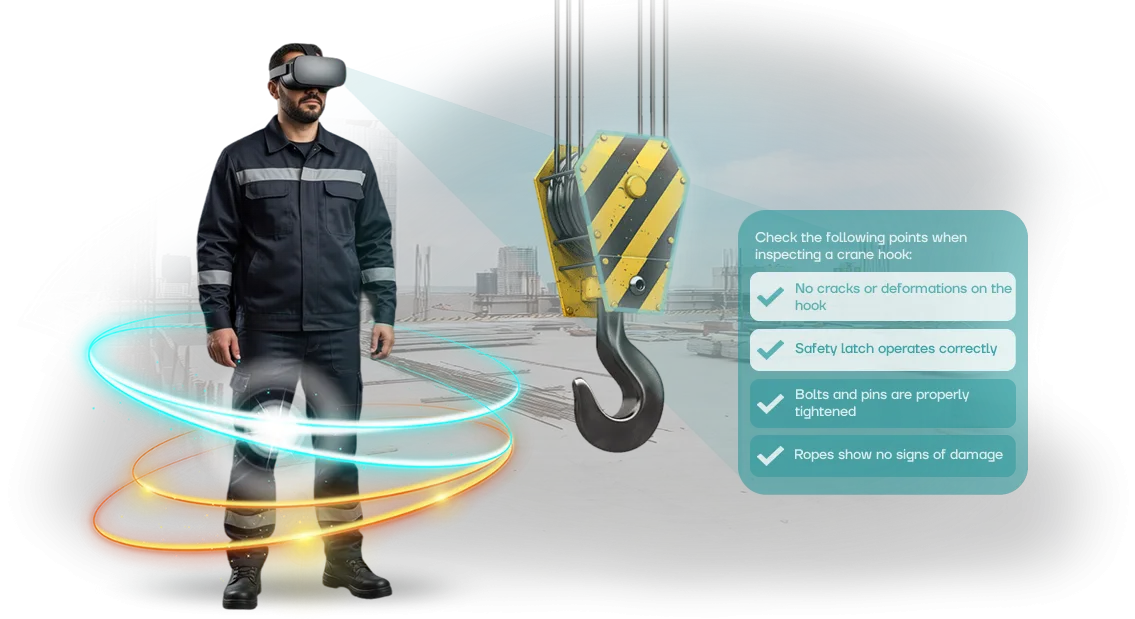
We turned the occupational safety program into a VR simulator. The employee experiences the scenario rather than listening to a lecture: inspecting equipment, setting up fall protection, moving around, and handling emergencies. Train in a safe environment — then go to the site prepared.
Reducing errors caused by human factor is the main result: these are the cause of most accidents at height. The VR simulator builds the skill to the point of automaticity, records errors, and reveals the employee’s weak points.
The instructor sees who is ready and who needs extra training. VR training does not require a training ground: you can conduct it in the office without stopping shifts, saving on staffing and insurance.
Less risk to reputation: one accident means a lost contract and lost trust. Implementing a VR simulator is cheap insurance against expensive consequences, not just ticking boxes for an inspector.
our team has deployed simulators at manufacturing and construction companies: up to two to three times fewer violations and an objective assessment of readiness for work at height.
If your employees work at height, look at a VR simulator as an alternative to safety briefings. We will prepare a demo scenario tailored to your regulations and show how training fits into your occupational safety system.
What Businesses Gain from VR Training
VR training for occupational safety delivers measurable benefits to business, not simply a formal compliance checkbox. Companies that implement these simulators reduce injuries, save on downtime, and look like responsible employers.
This is especially important for work at height: the cost of a mistake is at its maximum. One accident on site means sick leave, inspections, and reputation losses, while a VR simulator gives the employee experience of a dangerous situation without real risk.
| Benefit | What it gives the business |
|---|---|
| Fewer injuries | fewer accidents and related costs |
| Practical knowledge absorption | skill is reinforced in training, not in notes |
| Compliance with standards | up-to-date scenarios and ready-made reporting for audits |
| Reputation growth | image of a responsible employer for partners and applicants |
The numbers speak for themselves: employees practice the scenario to the point of automaticity, while making all mistakes in the virtual environment. After such training, actions at height become more confident, and management gets a verifiable result for each specialist.
Thus, VR training is an investment in safety and order that pays off through reduced risks and greater trust in the company. All that remains is to select scenarios tailored to your production specifics and integrate them into the training process.
VR Simulator Formats for Your Company’s Tasks
For enterprises where employees work at height, it is important to practice actions before a real threat emerges. VR simulators make it possible to create industrial safety scenarios without risk to personnel.
The choice of format depends on the task: training a newcomer, retraining a team, or checking skills before granting authorization.
Main VR Simulator Formats
| Format | For whom | What it gives the enterprise |
|---|---|---|
| Individual simulator | New employees, practicing specific skills | Personal training at their own pace, objective assessment of every action |
| Group training | Teams that work together at height | Practicing coordination: who acts as safety observer, who gives commands, who makes decisions |
| Scenario-based simulator | All personnel, recertification | Playing out emergency situations — from equipment failure to emergency evacuation |
| Comprehensive course | Mixed groups, different skill levels | A single standard of safe behavior on site, measurable training results |
VR simulator formats are easy to combine: first the employee completes an individual scenario, then joins a group session. This provides full coverage — from personal safety practices to coordinated team actions.
How to Choose the Right One for Your Needs
We select the format based on your specifics: work at height, tool operations, working in confined spaces. Ready-made scenarios can be adapted to your enterprise’s regulations, and for unique tasks we create a custom simulator from scratch. At every stage, you see training progress and understand which skills need more work.
Implementing VR Simulators for Work at Height: Project Stages
Implementing a VR simulator for work at height is not just installing software; it is a project with clear stages and control points. We handle the entire journey, from the brief to ongoing support, so you do not need to worry about the details. Every step ends with a milestone, and you see exactly what you are paying for.
- Brief. We record the specifics of your sites, typical errors, and occupational safety requirements. The output is a list of situations the simulator must cover.
- Scenario development. We build training scenarios: work at height, fall protection, guardrails, actions in case of equipment failure. The scenario mirrors real conditions, not abstract diagrams.
- Approval. We show the scenario prototype to you, the occupational safety department, and line managers. We make edits before production begins.
- Simulator production. We create detailed models of work platforms, equipment, and protective gear. The result is a ready-to-use application.
- Installation and setup. We set up the system at your site, verify startup and correct operation. Everything is ready for training.
- Personnel training. We conduct instruction sessions for employees and administrators: how to complete sessions, track results, and review mistakes.
- Technical support. We ensure stable operation, updates, and scenario consultations. The simulator keeps running, and employees continue learning.
This implementation sequence for a VR simulator helps align details at an early stage and avoid rework after launch. All project stages are documented in the plan, so timelines are clear and the result is predictable.
What Is Included in the VR Simulator Delivery
The delivery package is not just VR equipment. You get a complete, ready-to-use training system that can be put to work as early as the first week after installation.
No self-assembly, no hunting for scenarios, no deciphering technical manuals — everything is thought through and configured for the enterprise’s tasks.
The standard package includes:
- VR equipment with pre-installed work-at-height scenarios;
- methodological materials for instructors: session guides, plan templates, and recommendations for evaluating results;
- instructions and regulations for launching, operating, and maintaining the simulator;
- training for your company’s personnel — instructors, engineers, and occupational safety officers learn how to use the system;
- a license to use the scenarios with the ability to update them to meet new regulatory requirements;
- technical support for the entire period of use.
Methodological materials are the most valuable element of the package for the client.
We hand over a complete system: how to integrate VR sessions into your existing occupational safety regulations, how to track each employee’s progress, and which mistakes to review during sessions. This saves your specialists’ time and ensures a uniform training standard across all departments.
Personnel training is organized in a convenient format — some employees learn the system remotely, while the rest attend a short workshop. After launch, you have your own team that independently conducts sessions and adds new users without contractor involvement.
The full package covers all implementation issues, from initial setup to adapting scenarios to the hazard zones of your production. You get a working tool, not a “box of equipment” — employees start training quickly, and the occupational safety department sees measurable results.
Case Study: How We Reduced Injuries at a Construction Company
In the construction industry, work at height is a high-risk area. Even experienced employees often neglect fall protection or violate regulations because they are “used to doing it that way.” This leads to fines, downtime and, worst of all, accidents.
At our team we know how to fix this: instead of lectures and tests — a VR simulator that models real height and hazardous situations without risking lives.
We developed a training scenario for a construction company whose employees regularly work at height. In the virtual environment, everyone goes through the key hazard zones: unsecured structures, improper use of fall protection, emergency situations.
A mistake in the simulator does not cause injury, but it clearly shows the consequences — an experience that is remembered better than any instructions. Training takes place right on site, without disrupting production and with minimal time investment.
Implementation Results
After the VR simulator was launched, the company recorded a 40% reduction in the number of violations within six months. The proportion of employees who passed the internal occupational safety exam increased by 1.5 times.
Follow-up checks several months later confirmed that the result is not one-off but sustainable. Workers stopped treating the training as a formality — they now ask for additional scenarios and practice complex situations until they become automatic.
This case study confirms that VR training solves a specific business problem: it reduces risks, injuries, and related downtime.
The client received not a “pretty picture” but a measurable effect — fewer violations on site, greater employee awareness, and peace of mind for management.
We accompany the project from brief to full launch and adapt the scenario to the specifics of your particular work at height.
Frequently Asked Questions About VR Simulators for Occupational Safety
Frequently asked questions about VR simulators for occupational safety usually boil down to four concerns: is it difficult to integrate the solution into an existing program, how much does it cost, how quickly will employees master the new format, and what happens to the equipment after launch. We answer directly, without diving into technical details.
At our team we have been building simulators for real production environments for ten years, so we know these concerns from the inside. Integration is already accounted for in our methodology, and the equipment warranty and support are secured by contract.
How does a VR simulator integrate into current occupational safety training?
The simulator does not replace briefings and theoretical exams — it complements them with a practical stage. We adapt scenarios to your regulations and instructions, and after training we export results into your overall record-keeping system. Full integration into the program usually takes from two weeks.
How much does such a VR simulator cost and when does it pay off?
The cost depends on the number of scenarios and which specific work-at-height tasks you practice. Instead of abstract figures, we calculate payback: the simulator reduces employee preparation time and lowers the risk of injury, which in turn reduces downtime and payouts. In most projects, the effect is visible after the first training groups.
Employees have not used VR before — how much time do they need to get the hang of it?
The controls themselves take 5–7 minutes to learn: the instructor shows how to put on the headset and pick up the controllers.
The main focus of the training is not the interface but practicing work-at-height actions, so even people with no computer experience complete the scenario on the first try.
What happens if the equipment breaks down?
We provide a one-year warranty on all packages and handle replacement within two days. In addition, we provide a replacement set during repairs so training does not stop. All details are specified in the contract.
How to Choose the Right VR Simulator Format?
The VR simulator format is not a technical detail but a management decision: it must address your specific safety task, not simply “be modern.” So the main criterion is not trendiness but alignment with three parameters: the number of employees who will be trained, the types of risks at your site, and the expected result.
For example, for a team of 5–10 workers who operate at height, a compact solution with a single workstation is enough, while for 200 distributed employees, a course that runs across multiple sites and does not require an instructor’s presence is economically justified.
The second criterion is scenario complexity. When it comes to work at height, the simulator must model exactly the dangerous situations: loss of footing, fall protection failure, incorrect carabiner attachment.
Check whether the scenario can react to a mistake realistically — otherwise the employee will remember “virtual” logic rather than real logic.
A good simulator does not simply show; it provokes a mistake and walks through its consequences, so that in real life the reaction becomes automatic.
The third criterion is budget, but it should be measured not by the equipment price but by the value of a saved life and reduced downtime. An injury to an industrial climber or installer stops a site for weeks, while fines and reputation losses multiply the damage.
A VR simulator pays off if it reduces the number of incidents by even one case — and that is the measurable result you can show to management or a client.
And most importantly, involve the employees themselves in the choice.
Let them test the demo version and gather feedback: it is psychologically more comfortable to train on a simulator that does not cause such a fear of heights that concentration is lost, while still maintaining the sharpness of realism.
This approach reduces the risk of employees “opting out” of training and increases real retention of the material.
We will help you run this selection in one day: we will prepare a demo based on your work-at-height scenario, show it on real equipment, and calculate the economics of implementation for your headcount.
This is free and with no obligation — but you will get clear decision criteria that you can defend in front of a budget committee.
Start with a Free VR Simulator Demo
Start with a free VR simulator demo and see how work-at-height training stops being a formality. You will see how employees practice real scenarios at height: guardrails, fall protection, actions in an emergency — without risk or downtime.
In half an hour of the demo, it will become clear how the simulator fits into your occupational safety program and improves safety on site.
We work remotely across the country, so we can show the simulator online or on your premises. All you need to do is submit a request — we will take care of the rest.
No obligations: after the demo, you will receive a cost estimate for your task and can calmly compare it with other solutions.
- You submit a request on the website or by phone — we contact you within one business day.
- We hold a short consultation to clarify the specifics of your work at height and the number of employees.
- We demonstrate the VR simulator live: you see the scenarios, equipment, and interface.
- We select a package for your tasks and show how to integrate it into your existing training.
- We prepare a cost estimate and implementation timeline — no hidden conditions.
- After launch, we stay in touch: updates, technical support, and scenario refinements.
The request takes two minutes, and the demo takes half an hour. But after it, you will know exactly how to address work-at-height safety issues and what results you can expect. Book your free demo today — and we will show the simulator to your team as early as this week.