


Why Do Sales Managers Forget Skills After Training?
Sales managers undergo training, but a couple of weeks later they are back to their old ways. The training budget has been spent, yet the sales department is still losing customers at the objection-handling stage.
The manager orders another course — and sees the same metrics again. This is a familiar story, and the cause is not employee laziness.
Classic trainings provide information, not experience. In the classroom, the manager listens, nods, and takes notes, but in a real conversation they face a buyer's genuine doubt — and freeze.
In the training room, there is no pressure, no urgency, no customer who does not want to buy. That is why skills do not stick: there is no sales practice with repetition and feedback.
Skill decay happens fast: without regularly replaying difficult scenarios, knowledge evaporates within days. Training effectiveness drops because new techniques are not rehearsed to the point of automation. The manager falls back into a familiar behavior pattern, and the company sees no conversion growth.
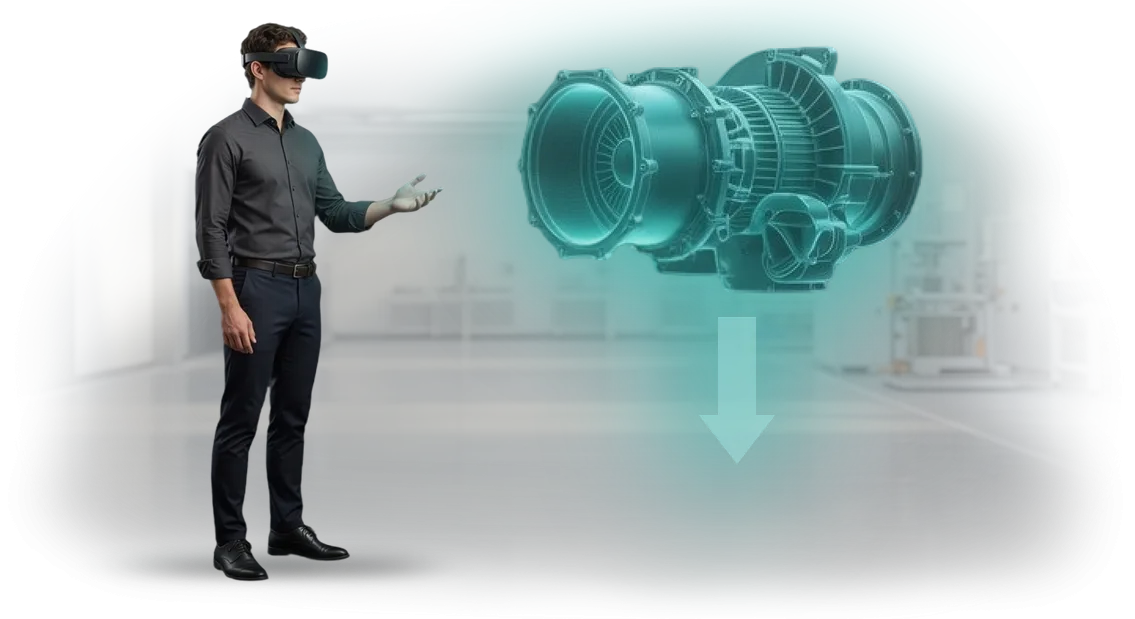
For sales manager training to deliver results, a safe environment for repeated practice is needed. VR simulators create that environment. The virtual counterpart behaves like a real one: hesitates, raises objections, stalls for time.
We develop VR simulators that close the gap between theory and practice. The employee replays complex negotiations dozens of times, receives feedback, and hones skills to the point of automation.
This is how we solve the core problem of training — it starts affecting revenue, not just completed questionnaires.
VR Training for Sales Managers: How It Improves Conversion
For a sales manager, the result is deals, not hours worked. A VR simulator lets them refine skills in a dialogue that closely mirrors a real customer conversation, without the fear of ruining negotiations or losing a lead.
Benefit: Skills are honed to the point of automation
In the simulator, the manager practices on typical objections and complex scenarios: from a cold call to the final presentation. While this happens in a safe environment, the employee builds speech patterns and confidence. They approach real negotiations prepared, which means the share of successful deals grows.
Benefit: Conversion growth at every funnel stage
VR training delivers a measurable effect: after practicing scenarios, managers qualify needs better, handle doubts more precisely, and close deals to payment more often. The manager sees each employee's progress and understands which techniques to reinforce and which to adjust.
Benefit: Fast onboarding for newcomers
Instead of long lectures, a new employee gets intensive practice from day one. They absorb company standards and typical scripts — through action, not through notes. This shortens the time to target results and simplifies the work of mentors.
Benefit: Engagement and motivation
The interactive format is perceived as a challenge, not a chore. Competitive elements and a clear progress system sustain interest. People burn out less, stay with the company longer, and work toward the plan with greater commitment.
We build VR programs tailored to your sales department's goals: we design scenarios based on your products and real objections, support the launch, and show training metrics. Request a demo — see how it works on your cases.
VR and AR Program Formats for Employee Training
Sales is a skill refined through practice. But putting a new manager in front of a real client without preparation means risking both the deal and the reputation.
VR and AR make it possible to train in a safe environment: a mistake costs nothing, and experience sticks faster than in lectures or office role-playing games.
There are several program formats, from full immersion in a dialogue with a virtual buyer to augmented reality that prompts the manager in real time during a live conversation.
We match the format to your task: quickly bringing a newcomer up to speed, practicing objection handling, or raising the average check.
| Format | For whom | What it gives the client |
|---|---|---|
| Virtual sales simulator | Sales managers, both newcomers and experienced employees | The manager negotiates with a virtual client, hears objections, and sees reactions. After the session — error analysis and script recommendations. Repeated practice increases conversion to real deals. |
| AR on-the-job prompts | Sales representatives, frontline staff | During a real customer conversation, arguments, objection responses, and promotions appear on screen. Shortens learning time and reduces stress for newcomers. |
| Group VR session | A sales team unit | One participant sells, another plays the client, the rest observe and analyze the case. Builds a unified standard for handling objections across the entire team. |
| VR scenario for candidate screening | HR and sales department heads | The candidate goes through a short dialogue with a virtual buyer — it immediately shows how the person reacts to stress and whether they can listen. You hire people who actually sell, not just talk well. |
Such programs integrate easily into the current training system and require no restructuring of business processes. Each format is customized to your specifics: products, typical customer objections, and the service standards accepted in your company.
How a VR Simulator Is Developed for Your Team
We understand: you need not a technical project, but a working tool for employee training. That is why the process is designed so you control the result at every stage of VR simulator development without diving into implementation details.
-
Brief and interviews with top managers. We study how your leading employees conduct negotiations, which objections they hear most often, and what helps them close deals. This is the foundation of the future simulator's scenario.
-
Creating the virtual dialogue script. We turn your experience into an interactive story: conversation branches with different client types, typical mistakes, and difficult situations. The script is presented in a clear format — you approve it before development begins.
-
Simulator prototype. We build the key virtual scenes and show them on a screen or in a headset. You see the atmosphere, the learning logic, and the presentation style before investment in the full version becomes significant.
-
Full-scale virtual simulator development. We add all scenes, dialogue lines, and an assessment system: the employee receives clear feedback — what they have mastered well and what needs more work.
-
Pilot group testing. Several of your managers complete the training before the official launch. We collect feedback, adjust difficulty and wording, and remove anything that hinders comprehension.
-
Rolling VR training into the workflow. We deploy the solution on your equipment or provide ready-made kits, train the administrator, and help run the first launch for the entire team.
After the launch, we do not disappear: we maintain the simulator, update scenarios for new products, and add dialogues when sales techniques change. You get a closed loop — from creating the virtual simulator to evolving it together with the business.
What's Included in the VR Training Delivery Package
We have structured the delivery package so your team has no questions about "where to start." The launch takes a few days, and all necessary information is organized by role: for the manager — put on the headset, for the mentor — run the debrief, for the team lead — see the progress.
Here is what you receive with VR training for employees:
- Ready-made VR scenarios with real work situations and customer objections — the manager hones the selling skill on the simulator, not on live clients.
- A mentor's methodology guide — explains how to integrate VR practice into the current training program and reinforce the skill after the session.
- Short launch and maintenance instructions — no technical specialist needed, a single onboarding session is enough.
- Integration with your learning management system — results are automatically pushed to the shared database, no manual export.
- A manager's dashboard — clear analytics for each employee and the whole team: how long they trained, which steps they skip, how results change.
- Project support during the implementation phase — we help with setup, trial launch, and tuning to your business processes.
- Scheduled scenario updates — so the simulator stays relevant when the product line or sales techniques change.
- Technical support for the entire period of use — we answer questions and resolve any issues promptly.
The entire package is delivered as a single solution: no need to assemble hardware, manuals, and software piece by piece. You get a working process, not a set of files — this is what typically distinguishes a full-scale VR training implementation from a one-off demonstration.
Case Study: Conversion Growth After VR Practice in a Sales Department
We implemented VR training in the sales department of the «АвтоПрестиж» car dealership network. The company faced a typical pain point: junior managers were losing customers at the objection-handling stage, and classic trainings did not produce lasting results. The sales director wanted not theory, but measurable conversion growth.
We built a simulator where the manager conducts a dialogue with a virtual buyer in conditions as close to real life as possible. Mistakes are analyzed immediately, and the skill is refined in a safe environment rather than on live clients.
The training took 4 days instead of the usual month-long course, and the cost per employee was reduced threefold.
What changed after 3 months
Conversion in the sales department grew by 27%. The average check increased by 18%, and the number of successful deals with "cold" clients rose by a third.
We also recorded a drop in turnover: newcomers reached target metrics faster and were less likely to leave after the probation period.
The department head noted: "Previously, training took two months, and not everyone made it to the end.
The VR simulator delivered an equally high level of preparation to everyone, regardless of experience and starting skills." Six months later, the company ordered a second module — for the key accounts department.
How to Choose a VR Training Format for Your Business Task?
Choosing between VR and AR is not a question of "what is trendier," but of which skill you want to build in your employees.
If the task requires full immersion in a dialogue with a client or practicing actions in a stressful situation, a VR simulator lets you replay the scenario dozens of times without risking real sales.
If it is about supporting an employee during work — with prompts and information overlaid onto a real object — AR becomes the more practical solution.
Here is a simple criterion: when a mistake is expensive (a lost deal, damaged client relationships), choose VR. When you need to quickly help an employee right at the workplace, choose AR.
VR creates a safe environment for practicing complex negotiations, presentations, and objection handling. AR enhances reality with prompts: it reminds of the next step, shows product characteristics, or suggests a conversation script.
What else to consider when choosing a scenario? First — skill complexity: simple rules can be delivered via AR, while behavioral skills require VR immersion.
Second — frequency of use: if training is one-off, a short VR scenario is enough; if the skill is needed daily, AR prompts pay off faster.
Third — scale: for a few dozen employees, launching one scenario is simpler; for hundreds, you need a system where VR is used for key roles and AR for mass training.
One more practical tip: start with a pilot scenario that addresses the most painful point. For example, if managers lose clients at the objection-handling stage, build a short VR simulator specifically for that skill.
Measure how conversion to a deal changes, and then decide based on numbers whether to expand the program. That way you get a measurable result without large upfront investments.
We match the format to your task, not the other way around. First, we analyze the sales process, find the bottleneck, and propose a scenario — VR, AR, or a combination.
On the way out, you get training that solves a specific business problem and pays off through improved employee results.
Frequently Asked Questions About Implementing VR Trainings
We have compiled answers to the questions managers most often ask when first encountering VR training. If your concern remains after reading, write to us — we will show examples from similar industries and calculate the effect on your numbers.
Doesn't VR distract from learning, and is it hard for employees to get used to it?
A VR simulator holds attention better than a video or lecture on its own, because the person acts with their hands rather than just watching.
Employees get involved in the scenario from the first minute, and the average time to adapt to the controls takes no more than a couple of minutes.
For most, this format is more familiar than it seems: the interfaces in the simulator are intuitive, so training proceeds without an instructor. At the same time, the scenario can always be interrupted and resumed later — this removes the fear of mistakes and tension.
How expensive is it, and when will it pay off?
The budget consists of development for your scenario and the launch. Training costs per person already drop by the second or third cohort of employees: the simulator runs without mentors, room rentals, or repeated printouts of materials.
VR pays off fastest in sales and objection handling because dialogue mistakes are visible immediately and do not cost you client dissatisfaction. You get a simulator that can be extended — for example, changing the conversation script or adding a new product.
Can we integrate VR into our training system, or is it a standalone tool?
Yes, the simulator fits easily into existing processes — from simple scenarios to corporate portals (for example, LMS). We configure result reporting so you see employee progress in your familiar reporting system.
This allows the VR module to be embedded into a general onboarding program or a periodic upskilling cycle. No separate infrastructure is needed to launch: VR training runs on professional equipment that we will help you select and deliver.
Can we track which managers actually completed the scenario and how they performed?
Every session is recorded automatically: you see who took the training, for how long, what steps they completed, and where they made mistakes. The trainer or manager receives the data without surveys — it is immediately clear which objections challenge the whole team.
This provides a basis for debriefs at team meetings: you can show a manager's real dialogue and practice the difficult moment. This approach helps turn "completed the training" into "actually knows how to handle objections."
Is VR training safe for eyes and the vestibular system?
We use headsets with high-quality imagery that does not blur or strain vision when properly adjusted for the user. Sessions last 10-15 minutes with breaks — this is standard practice in corporate training to maintain focus.
There are basic recommendations: do not train on an empty stomach or when feeling unwell. We also adjust the time in VR to the task: for example, a short negotiation practice needs only 10 minutes of intensive work without fatigue.
If you still have questions about timelines, format, or a specific task — leave your contacts, and we will reply with an estimate for your team.Get a VR Simulator Demo and Test the Training for Free
Request a VR simulator demo and test the training for free on a real sales scenario. We will pick a situation matching your product, show how managers practice calls and objections — and you will evaluate the result yourself.
The demo includes immersion in a virtual environment where the employee acts just like in ordinary negotiations. No theories or slides — only practice, which you can immediately compare with your team's current level.
What you receive when you reach out:
- Testing on real sales scenarios — we adapt the demo to your product and typical customer objections.
- Employee engagement assessment: how deeply they get into the process and retain key skills.
- Clear metrics after each exercise — the dynamics and areas for improvement are visible right away.
- Flexible launch format — training works both in virtual reality headsets and on a regular computer screen.
- Quick implementation without stopping operations — we fit the training into quiet sales periods.
- Individual consultation — we help you choose a program for your team size and business specifics.
After the demo, you will receive implementation recommendations and a step-by-step launch plan. You decide whether to scale the program to the entire department — we do not push anything extra.
Leave a request for training — we will run a free test, find a convenient time, and show how the VR simulator helps managers negotiate with greater confidence.