


Training Receptionists: How a VR Simulator Cuts Losses
Manual training for receptionists drags on for weeks: theory, shadowing a mentor, first independent shifts with mandatory backup. While a newcomer gains experience, they inevitably make mistakes—in guest communication, during check-in, and in non-standard situations.
Every misstep hits the hotel's reputation and the owner's wallet: a dissatisfied guest doesn't return and leaves a negative review.
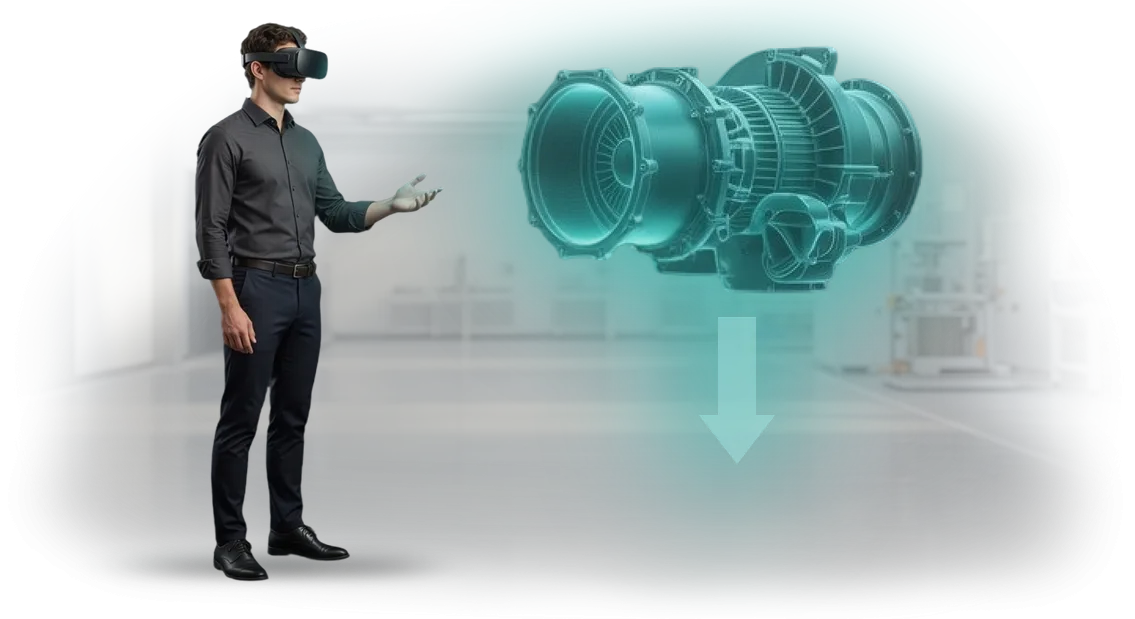
VR training for receptionists changes this pattern. From day one, employees practice realistic scenarios—greetings, registration, complaints, conflict, requests that can't be written into an instruction manual.
They make decisions in a safe environment, while the system records every action and highlights weak points.
As a result, the speed of adaptation increases many times over: instead of a long apprenticeship with a mentor—several intensive VR sessions and a confident arrival at the front desk.
Staff errors are the hotel's biggest losses. One sharp reply or a forgotten detail—and the guest goes to competitors. A VR simulator makes it possible to bring correct reactions to automaticity before meeting real people.
The employee learns to control emotions, follow service standards, and find a way out of any situation without risking client relationships.
At our team we design VR training around hotel needs: we analyze the typical mistakes of your specific receptionists and turn them into training scenarios. This way you get predictable service, faster onboarding, and fewer losses on every shift.
What VR Training Delivers: Service Growth, Loyalty, and Profit
VR training for receptionists is not a replacement for traditional learning, but a way to get results many times faster. Employees practice skills in scenarios as close to reality as possible: guest check-in, conflict resolution, non-standard requests.
This format cuts onboarding time from weeks to a few days, while giving every employee an equally high level of preparation.
The main value is service quality. After VR training, a receptionist acts more confidently in difficult situations: doesn't freeze when a guest is unhappy, and finds a solution faster.
Guests sense this confidence—guest loyalty grows, repeat bookings appear, and positive reviews follow. And this directly affects hotel revenue. Every satisfied guest returns and recommends the hotel to friends.
Employee engagement in training also matters. VR is perceived not as a boring lecture, but as an interesting experience. Staff go through the training willingly, remember standards better, and apply them in their work. There's less turnover during the probation period and lower costs for retraining.
From a business perspective, the benefits of VR are obvious: faster staff preparation, consistent service, satisfied guests, and profit growth. The hotel gets a tool that pays for itself through fewer mistakes and increased loyalty.
The manager sees results—trained employees, not just hours logged. This is an investment that brings measurable value within the first months.
VR Simulator Formats for Receptionist Training
Receptionist training is not just memorizing scripts. Their reaction at the front desk shapes the guest's first impression, the hotel's rating, and repeat bookings.
That's why we develop VR training in different formats—each one addresses its own objective: from deep practice of difficult situations to quick on-the-job hints right at the workplace.
Below we break down the three main VR simulator formats we use in projects. We select them based on your task: onboarding, skills development, or supporting a newcomer in the first days.
| Format | For whom | What it gives the client |
|---|---|---|
| Full immersion | Receptionists who need to work confidently with conflict guests, non-standard requests, and loyalty programs | The employee experiences 20+ difficult situations in a few hours without risking the hotel's reputation. They go to the front desk without fear and with ready-made algorithms. |
| Blended format (virtual + real trainer) | New employees, front-office team | Fast onboarding: part of the scenarios—in VR, part—with a trainer in a real environment. Saves the mentor's time and standardizes knowledge across the whole team. |
| AR hints | Newcomers in their first working days, employees during regulation changes | Right on the tablet or headset screen, the employee sees step-by-step hints on procedures, scripts, and rules—reducing the number of errors and the time per check-in. |
This approach is not "technology for technology's sake," but a tool aimed at a specific pain point. Full immersion prepares for stressful situations, the blended format speeds up results, and AR hints protect employees in real work.
We will select the format and scenario for your department ourselves: we'll calculate which situations most often lead to complaints and lost bookings, and build a VR simulator specifically for them.
We'll start with a brief and a pilot scenario—so you see the value before full launch, and we'll build the rest of the program based on it.
How We Run the Project: From Brief to Launch in 4 Weeks
We work according to a transparent process: you always know what stage the project is at and what you get in the end. The entire cycle—from brief to a working VR simulator for receptionists—takes 4 weeks.
Below are the key stages of developing and implementing VR training so you can plan the launch without surprises.
- Brief and task immersion. We conduct interviews with you and the future users of the simulator—receptionists. We capture scenarios: guest greeting, handling objections, difficult clients, phone calls.
- Scenario and methodology design. Together with your methodologist or L&D specialist, we turn real cases into interactive learning branches. We define assessment criteria: correct phrases, tone, reaction speed.
- Prototype and approval. We show key scenes without full graphics—you see the logic and make edits before final development begins. This saves time and money.
- VR simulator development. We create a realistic reception environment, guest characters, and a feedback system. The simulator runs on professional equipment and requires no complex on-site setup.
- Testing with a focus group. We invite several receptionists to check usability and effectiveness. Based on the results, we make final adjustments.
- VR launch and implementation. We install the software, train the administrator, and hand over instructions for staff. Everything is ready for use in the learning process.
- Post-launch support. We stay in touch: update scenarios, add new cases, and help with technical issues. You are never left alone with the equipment.
This workflow allows us to meet the stated 4 weeks and deliver a simulator that immediately fits into your training program—without lengthy approvals or downtime.
What's Included in the Delivery: A Complete Launch Kit
When you order a VR simulator for receptionist training, it's important to understand what you get in the end. We don't hand over separate files, but a full package that can be launched the day after installation.
The delivery includes:
- Ready-made training scenarios — developed around your business processes: guest greeting, check-in, handling objections, non-standard situations. Employees practice algorithms in a safe virtual environment instead of on real clients.
- Trainer's methodology guide — a step-by-step lesson plan, recommendations for reviewing mistakes, and assessing progress. Your staff can run training independently without hiring outside specialists.
- User instructions — simple cheat sheets for employees so they quickly master the VR equipment and focus on the training itself, not the technology.
- Results tracking system — a personal dashboard showing how each employee handles tasks, how much time they spend on completion, and which skills need improvement.
- Technical support and warranty — we support the project after launch: update content, help with equipment setup, and answer your employees' questions.
This package covers all needs: from first launch to regular retraining. You get a clear tool that quickly pays for itself through reduced staff errors and improved guest service quality.
Case Study: Hotel Cuts Receptionist Onboarding by 70%
At the Atlas hotel chain, receptionists trained at the front desk for almost three months. Every new employee made check-in mistakes, responded slowly to non-standard guest questions, and mentors were distracted from their own duties.
Regulation texts and booking system screenshots didn't provide the needed experience—newcomers lacked practice in a safe environment.
We developed a VR simulator that recreates real front-desk situations: check-in of large groups, conflict guests, requests beyond standards.
Training takes place in a virtual environment where each employee practices several scenarios per hour, and the system suggests the correct sequence of actions and immediately corrects mistakes.
Implementation Results
After six months, the hotel chain reduced the time for a newcomer to start working independently from 12 to 4 weeks—70% faster. At the same time, guest service ratings increased: the number of complaints about front-desk operations dropped by almost half.
The HR department received clear analytics on each employee—which scenarios are easy and where additional training is needed.
After the pilot launch in three hotels, the client expanded the program to all their properties, and then ordered VR modules for other positions—from concierge services to housekeeping.
Repeat business is the main indicator for us: the hotel's results matched what was promised, and training stopped being a "toy" and became a working onboarding tool.
Today the company has dozens of projects for the hospitality industry under its belt.
With each client we first calculate the economics and determine exactly how VR will accelerate onboarding in your project—timelines, number of employees, and measurable service metrics are fixed before development begins.
Addressing Fears: What If the Equipment Breaks?
You're worried that VR equipment might fail in the middle of receptionist training—and that's an understandable risk: any technical failure stops the process and undermines trust in the program. The situation gets worse if training is already paid for and the schedule is tight.
That's why we plan for this scenario in advance: our task is to make sure technology never becomes your bottleneck.
In our simulators, we use professional equipment with certification and a high working lifespan. Before every launch, the system undergoes load testing, and all devices are covered by an official warranty.
Warranty, repair, and replacement terms are fixed in the contract—you always know what will happen in a non-standard situation.
What to do if equipment breaks during classes?
We provide a backup set on site in advance or fast replacement delivery. An engineer connects remotely or arrives within one working day, and if repair is impossible, the device is replaced with a new one without additional approval from you.
Who handles repairs and maintenance?
All technical issues are on our side. You don't need to find a service center or negotiate with the manufacturer: one request to support—and we restore the simulator to working condition.
How fast is a faulty device replaced?
The standard replacement time is no more than two working days. For long-term programs, we include a second equipment set at the project stage so receptionist training continues without pauses or rescheduling.
In the end, you shift technical risks onto us: warranty, repair, and replacement are documented in the contract, and you get a stable simulator and support for the entire training period. Your task is to launch training and see results—not to watch over the hardware.Order Development: What You Get Right After the Contract
Leave a request for the development of a VR simulator for receptionists—and get a complete information package to start the project.
We don't ask for prepayment and don't push services: first you learn how the solution works, how much it costs, and what results it brings to your hotel or hotel chain.
Here's what you get right after reaching out:
- Consultation with a training specialist: we'll discuss your tasks, typical receptionist mistakes, and program goals.
- Demo of the VR solution: we'll show you with a live example how an employee trains in a virtual environment without risk to your business.
- Cost calculation: we'll prepare a transparent estimate based on your scenario, the number of employees, and the required level of detail.
- Implementation plan: we'll break it down step by step—from scenario creation to launch and content updates.
- ROI assessment: we'll calculate how much you'll save on training thanks to fewer mistakes and faster onboarding of newcomers.
- Examples from the hospitality industry: we'll share how other companies already use VR training and what effect they achieved.
- Support at every stage: you'll be assigned a manager who accompanies the project from the first meeting to launch.
Fill out the form—and by the next day you'll understand the cost, timeline, and first steps. We'll contact you at a convenient time, answer your questions, and help you make a well-considered decision.
How to Choose the Right Format for Receptionist Training for Your Task?
The choice of receptionist training format depends not on trendy technology, but on your specific task and budget. One thing is introducing a newcomer to service standards; another is teaching them to act in a non-standard situation with a conflict guest.
So first, it's worth identifying which skill needs to be developed: speech, reaction speed, product knowledge, or the ability to handle objections.
Key criteria are the number of employees who will train simultaneously, the frequency of content updates, and the development budget. For a small team and regular hiring, a compact module that can be quickly updated works better.
For mass training of hundreds of receptionists across a whole chain—a full-fledged program with different scenarios and result checks. If the budget is limited, a short interactive course covering the main mistakes is enough.
If the task is ambitious—for example, raising service standards to five-star level—it makes sense to invest in training with full immersion in a realistic front-desk environment.
We help not just "implement VR," but choose a format that solves your task within the budget.
At the first meeting, we analyze which mistakes receptionists make most often, which situations generate the most negative reviews, and propose an option—from a short dialogue simulator to a full cycle with action assessment.
You pay only for what the business really needs, not for "technology for technology's sake."
If you're not sure where to start, send us a description of your task, and within one working day we'll suggest the optimal format for your budget. This is free and carries no obligation.