


Construction Training Errors Lead to Missed Deadlines
One in ten construction projects is delivered behind schedule—and at the root of nearly every delay are worker errors in standard operations. Improper scaffolding installation, incorrect concreting sequences, unsafe power tool handling—all lead to rework, downtime, and fines. The manager learns about the problem only after the deadline has slipped and costs have risen.
To keep projects on schedule, construction workers need to perform error-free before they even set foot on site. Training on real production sites is expensive, and there aren't enough mentors to go around: newcomers learn from their own mistakes—at the cost of time and safety.
Traditional delivery formats like briefings and presentations are quickly forgotten, especially under tight deadlines. The result: the same worker errors keep surfacing on site, time and again.
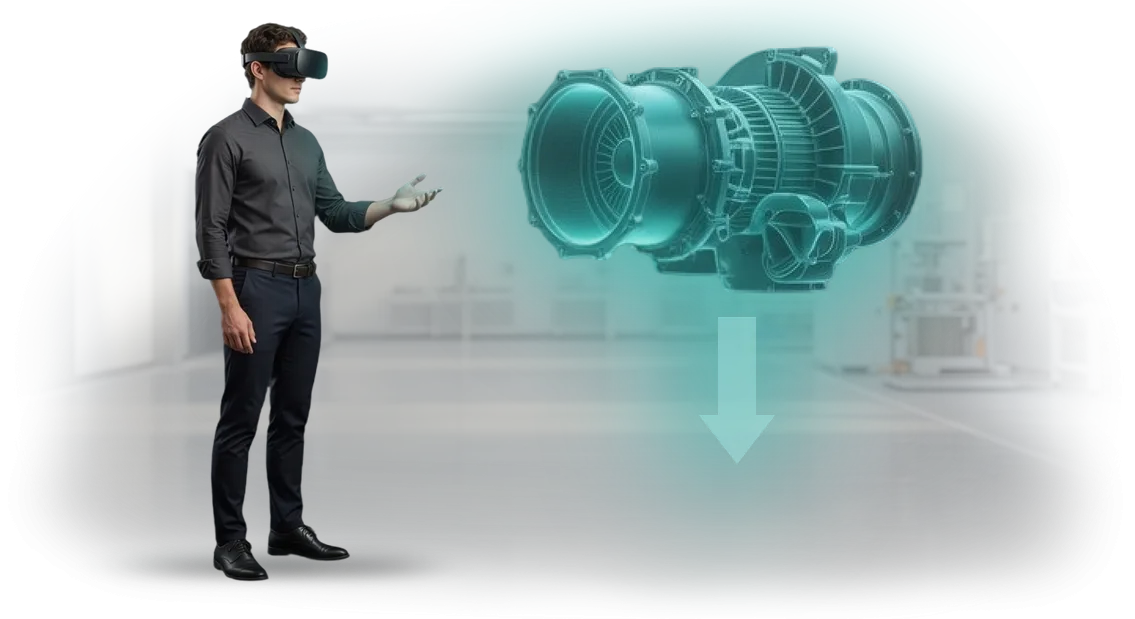
VR training changes this dynamic: the worker trains in a safe environment at their own pace, drilling actions until they become automatic. The virtual construction site shows the consequences of an error instantly, so the correct procedure sticks in memory.
This reduces defect rates, insurance risks, and downtime on the real site. A VR simulator for construction training is not a replacement for practice—it's a way to ingrain the right procedural pattern.
For management, this means clear results: less rework, stable deadlines, smooth inspections, and confident site safety. Each worker gets an individual session and immediately sees what they did wrong—a double benefit for quality control.
You get a measurable picture of crew readiness instead of a formal checkbox that a course was completed.
At our team we develop VR training tailored to your company's specific processes: from safety protocols to complex technological maps. We take the typical errors of your production workers, turn them into test scenarios, and deploy the simulator on your sites or remotely. You get a tool that works to reduce costs, not just a "tick mark" for HR.
What a VR Simulator Delivers to Your Business and Employees
Construction workers learn on real sites—it's fast, but expensive and dangerous. A beginner's mistake results in downtime, rework, or injury. Many companies rely on mentors, but the process drags on for weeks, and outcomes depend on human factors.
The VR simulator from our team moves training into a virtual environment where each employee can practice actions without risk to themselves or the site. Here's what this delivers to business and employees:
- Reduced injuries. Practice of emergency and abnormal situations in safe conditions: the employee learns to act correctly without getting hurt or causing incidents on site.
- Faster time-to-productivity. New employees master key operations in days instead of weeks. They start working independently and delivering results sooner.
- Training cost savings. The simulator replaces consumables, doesn't require halting production, and is used repeatedly across different shifts—the cost of retraining approaches zero.
- Higher work quality. A unified standard for practicing operations eliminates "training the way I happen to do it": every construction worker performs tasks per approved technology, not from the mentor's memory.
- Industrial safety. Responses to fire, work at height, or dangerous tools are drilled to automaticity—this reduces risk to life and cuts the number of regulatory citations.
This approach pays for itself with the first wave of newcomers and keeps working for every subsequent employee. You get predictable training levels and fewer downtime events caused by personnel errors.
VR Training Formats for Construction Workers Tailored to Your Task
Training construction workers on a real site is expensive and dangerous: a beginner's mistakes cost time and health. Traditional briefings don't build muscle memory and don't teach how to act in abnormal situations.
Virtual reality solves this: employees gain hands-on experience in a safe environment, and employers get predictable training outcomes.
We develop VR training for various scenarios—from practicing a single skill to coordinated crew work. To help you choose the right option faster, here's a comparison of three main formats.
| Format | For whom | What it delivers to the client |
|---|---|---|
| Individual VR simulator | New employees, workers in rare specialties | Practice of specific operations at their own pace, objective skill assessment before site access approval |
| Group VR simulation | Crews that need to work as a unit | Training in coordination, task allocation, and emergency response without risk to personnel |
| Mixed reality (AR) | Experienced specialists on a real site | Step-by-step instructions right in front of their eyes, work quality control, and fewer errors |
The formats aren't mutually exclusive: we often combine them in a single training program. For example, start with an individual simulator to build the fundamentals, then a group simulation to refine team actions. We'll advise which combination works best for your objectives—just describe your situation.
How VR Training Implementation Works: 7 Steps
VR training implementation follows a transparent process: you don't have to dive into the technology—you get a ready-made solution for a specific task.
We support the project from the first conversation through post-launch support—at every stage, you understand what's happening and what results you're getting.
-
Task analysis and brief. We study which skills and processes your construction workers need to practice and collect requirements from managers and instructors. The output—a clear understanding of training goals and success criteria.
-
Scenario design. We align the scenario with you: real construction site situations, action sequences, typical errors. You see what the training will look like before development even starts.
-
Prototype and approval. We show an interactive mockup of the future simulator. You make edits at an early stage—this saves time and budget, and the risk of rework is minimized.
-
Simulator development. We build a full VR application: 3D models, logic, prompts, and an action assessment system. We work on professional equipment so you get a stable result without glitches.
-
Testing with your employees. We run a pilot with a real group of construction workers. We collect feedback and refine the interface and scenario—the training becomes convenient and clear for any category of staff.
-
Launch and instructor training. We hand over the simulator for operation and prepare your specialists to run sessions independently. You don't need an in-house technical team for deployment.
-
Support and growth. We stay in touch: update content, add new scenarios, monitor stable operation. You can expand the training program for new tasks without restarting the project.
This approach lets you integrate VR training into your regular workforce development process with minimal time investment from your managers and without disruption to daily operations.
What's Included in the VR Simulator Package for Construction Workers
The client receives a complete VR training package, not scattered files. We configure it to your company's needs, train your administrator, and provide post-launch support—construction training can go live within days.
What's included in the package:
- Scenarios for construction workers. Safety protocols, behavior in abnormal situations, tool handling. The scenarios are built on real production tasks and typical errors—employees practice skills in a safe environment, without risk to themselves or the site.
- Methodological materials. Lesson plan, instructor guide, reference cards, and review questions. The trainer doesn't need to build a program from scratch—just open the scenario and run the session for the group.
- Admin panel. Course assignment, group management, progress tracking—all in one window. Any HR or safety officer can operate it, no programmers required.
- Training reporting. Automatic reports for each employee: time, errors, progress, retry attempts. The manager sees who mastered the material and who needs an additional session—and can present the results to inspectors.
- Technical support and updates. We help at all stages: from equipment setup to reviewing pilot group results. We refine scenarios when regulations change or new work areas are added.
The entire package—one responsible partner, not a chain of contractors. You get a working training system that covers safety, permits, and employee qualification requirements.
Case Study: How We Trained 200 Construction Workers Without Stopping Work
Construction company «Monolit-Stroy» came to us with a familiar pain point: 200 workers across multiple sites had to complete mandatory safety training, but pulling them off shifts meant missing delivery deadlines.
Traditional lectures didn't stick, and paper briefings didn't practice real actions in dangerous situations.
We proposed a VR training format that doesn't require halting construction. Workers completed the simulator training right on site—15–20 minutes before a shift or during breaks.
In the virtual environment they practiced the most common emergency scenarios: working at height, tool handling, and actions during smoke conditions. An error in the simulator didn't cause injury—but it was remembered far better than a page of instructions.
Implementation Results
Within three months, the company saw measurable impact. On-site injuries dropped by 40%, and first-attempt pass rates for mandatory occupational safety exams rose from 62% to 94%.
The average training time per employee was cut in half, and repeat safety briefings were no longer needed: the simulator records each worker's results and shows who's ready to go on site and who needs another run-through.
Construction workers adopted the format faster than we expected. Within a month, 8 out of 10 chose the VR simulator over a traditional lecture, and the company ordered a second module—for training on new equipment.
We didn't just solve a one-off task; we addressed a systemic problem: sites never stopped, deadlines held, and safety no longer depended on a person's attention and memory.
How to Choose the Right VR Training Format?
There's no "one size fits all" VR training format: a simulator for beginners and one for experienced crews solve different problems.
Choosing a VR simulator starts not with the hardware but with the goal: what should an employee be able to do after training, how many workers need to be covered, and how often will scenarios need updating.
There are three selection criteria. Skill type: full immersion suits complex operations and emergency response, while short modules work for mass briefings. Location: a stationary classroom or a mobile solution that can be set up right on site. And the audience: age, experience with digital tools, and the specifics of construction trades.
For worker training, an individual approach is especially important: some people work faster, others need repetitions. A VR simulator adapts difficulty to the employee's pace and shows errors immediately—the person sees the consequences of a wrong action firsthand. Meanwhile, injuries and breakdowns are eliminated, and no consumables are needed.
The answer to "which format" starts with analyzing the situation: we look at the number of employees, critical operations, and work sites. Then we propose a balance between depth of immersion, people covered, and speed of implementation.
Choosing a VR simulator is designing a training program, not buying a "box." Drawing on our project experience in the construction industry, we deliver a solution that scales and is clear to workers at any skill level. You get a format that addresses exactly your task: from briefing to full skill practice.
Frequently Asked Questions About VR Training Implementation for Employees
Implementing VR training for construction workers is a solution that changes the approach to workforce development, but clients ask the same questions before getting started. Most often they ask about cost, return on investment, and how difficult implementation is. Below, we've addressed the key concerns—briefly and to the point.
How much does VR training implementation cost for employees?
The cost depends on the number of scenarios and the number of workstations. We scope the project to the task: you can start with one key course (for example, safe work at height) and expand the library later. At the brief stage, we provide an exact estimate—no hidden fees, no pushing extra services.
Do VR simulators pay for themselves quickly?
The return on investment comes from three factors: reduced injuries and downtime, faster ramp-up for new employees, and lower spending on training consumables.
On average, companies recover their investment within several months—especially when training runs regularly and covers more employees than in-person sessions.
What are the equipment and facility requirements?
You need a computer with a modern graphics card and a VR headset—this is a standard package we'll help you select to fit your budget. The facility doesn't require remodeling: a free space of 2 by 2 meters is sufficient. Everything else—installation, setup, and instructor training—we handle ourselves.
Is VR training hard for construction workers to learn?
No. The interface is designed for people without technical experience: the employee puts on the headset and performs clear actions—just like on a real site. The average worker gets comfortable within 5 minutes.
An added bonus is safety: in VR, you can practice emergency situations that would be dangerous in real life.
If you have any remaining questions about scenarios, timelines, or equipment composition—send us an inquiry. We'll send examples of construction industry projects and prepare an estimate for your specific tasks.Start Implementing VR Training in Your Company Today
Getting started with VR training is easier than it seems: you don't need to understand the technology, choose equipment, or hire a dedicated specialist.
We handle the entire journey—from the first inquiry to launch and support—and so you can see the results in advance, we'll start with a free demo access.
- Inquiry and consultation. Submit a request on the website—we'll call you back within one business day, discuss your objectives, and show examples of VR simulators for construction workers. Right after the call, we'll open demo access to one of the ready-made scenarios.
- Brief and implementation plan. Within 2–3 days, we'll lock in training goals, employee composition, and performance criteria. We'll prepare a personal plan: which modules we develop, how long each stage takes, and what you'll receive at the end.
- Scenario development and adaptation. We'll build a simulator for your real tasks—occupational safety, work at height, construction site safety. We'll show interim versions, incorporate your feedback, and make sure the result matches your expectations.
- Pilot testing. We'll launch training with a group of employees, and collect their ratings and comments. You'll see exactly how workers go through the scenarios and can compare results with traditional briefings.
- Turnkey launch. We'll install and configure the equipment, train your instructors and administrators, and hand over all materials. After launch, we stay in touch: update content, help with technical issues, and expand the program as your needs grow.
Submit an inquiry today—and by next week, you'll be able to show management and employees what modern training in the construction industry looks like.
The demo access is free and comes with no obligation: without extra presentations and technical details, you'll simply see how a VR simulator works in practice.