


Why teacher training doesn't deliver results and how to fix it
Traditional professional development courses have long failed to do the job. Teachers listen to lectures, watch presentations, and pass formal tests, but this knowledge never transfers to real practice.
Low training effectiveness is the natural result: educators spend time and effort, while lesson quality remains unchanged. So the problem isn't the teachers themselves—it's the approach.
Online courses don't work any better, because the problem isn't the delivery format, but the lack of engagement. Teachers are asked to passively watch videos and read texts, and staff motivation quickly fades.
That's how professional development problems accumulate: programs exist, certificates are issued, but skills don't grow. The educator returns to the classroom with the same toolkit as before.
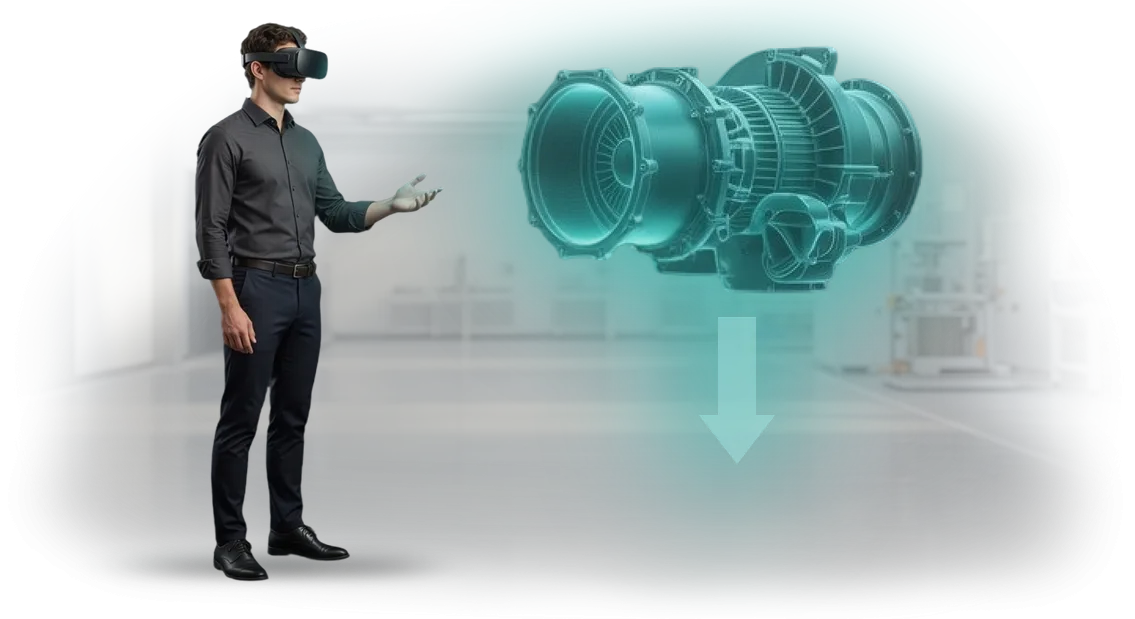
For training to produce results, teachers need to act, make mistakes, and try again—in a safe environment. VR and AR simulators provide this.
A teacher finds themselves in a virtual classroom where "students" react to their words, ask questions, and create unexpected situations.
They practice difficult dialogues, conflict scenarios, or a new teaching method and immediately see the consequences of their decisions.
After such practice, knowledge is cemented at the level of personal experience, not written notes. The teacher receives feedback, adjusts their behavior, and transfers the skill to a real school.
This approach solves the staff motivation problem and makes professional development genuinely useful—for both the educator and the students. This is exactly the kind of simulator we develop for schools and educational centers.
What you get from introducing VR training in your organization
Traditional training often comes down to lectures where employees passively listen and quickly lose focus. This is especially critical for teachers: they don't need to memorize theory, but to practice live situations—explaining material, calming a class, talking to parents.
This is where VR training delivers clear advantages: it turns the process into active practice, not information transfer.
The main business benefit is increased employee engagement. In a virtual environment, a teacher is fully immersed in the scenario and takes action rather than observing from the sidelines.
Every decision has consequences, which triggers a live reaction and forces them to get involved in the process. As a result, material is absorbed more deeply, and the skill sticks for a long time—participants remember not slides, but their own experience.
Another important plus is safe practice of complex skills without risk. Teachers can train conflict dialogues, working with "difficult" students, and actions in emergency situations—without fearing mistakes that could have real consequences.
This format relieves stress and at the same time boosts the educator's confidence, because they have already lived through these moments in the training environment.
From a cost standpoint, VR training is also advantageous for the organization. There's no longer any need to rent venues, send employees on business trips, or pay a trainer every time.
The program can be launched simultaneously for many teachers at a convenient time, and thanks to scenario repeatability, each participant receives material of equally high quality without additional expense.
In the end, the client gets a ready-made turnkey solution: we handle scenario design, graphics, and technical implementation, and after deployment you see measurable results—higher engagement, lower training costs, and confident employee skills.
Introducing VR training is an investment in team competence that pays off through better work quality and consistent results.
VR training simulator formats for employee training
Different tasks call for different VR simulator formats. A short 15–20 minute scenario practices one skill; a full course immerses participants in the profession for several hours. Training program types differ not in duration but in depth of detail.
We select the option that fits your goal: to speed up onboarding, reduce errors, or prepare an employee for a rare stressful situation.
For example, for teachers this could be a virtual classroom with a "difficult" student, and for a sales department—negotiations with objections.
In every format, the employee makes decisions, sees consequences, and receives feedback without risk to clients or reputation.
| Format | Who it's for | What it gives the client |
|---|---|---|
| Mini-simulator (up to 20 minutes) | Newcomers who need to quickly learn a standard process | Shorter onboarding time and less load on mentors |
| Dialogue scenario | Managers, teachers, support staff | Practice of complex negotiations and conflict situations without stress |
| Full immersive course | Employees in high-safety-requirement roles | Mastery of the entire sequence of actions with error control |
| Team scenario | A department or shift that works together | Coordinated actions and understanding of roles in non-standard situations |
This approach delivers measurable results. We track each employee's progress; you see which training scenarios cause difficulties and adjust the program.
Virtual simulators for staff are not a replacement for practice, but a way to provide it before the price of a mistake becomes too high.
Stages of developing a VR simulator for teachers: from brief to launch
You get a clear route: every stage of creating a VR simulator for teachers is agreed upon and transparent. No last-minute rework—only clear steps and a measurable outcome.
- Development brief. We document teachers' tasks, difficult situations, and training goals. This is the foundation of the future simulator.
- Scenario and methodology. We design VR situations close to a teacher's real work: conflict in class, conversation with parents, emotional load. We think through tasks and assessment criteria.
- Project approval. We show a prototype—you see how the training will look and work. You make edits before full-scale development begins.
- VR simulator creation. We develop the graphics, logic, and interactivity. You receive readiness reports at each stage.
- Testing with teachers. We invite representatives of the target audience and check usability and clarity. We refine the product based on the results.
- Launch and support. We deploy the simulator, train administrators, and after the start we analyze metrics and update scenarios.
This approach to VR simulator development stages for teachers reduces risks and saves the budget. Key decisions are approved on time, and training launches without disruptions—teachers immediately get a working tool.
What's included in the delivery of a VR simulator for a school or university
When you order a VR simulator, you get not just a program, but a complete solution for your educational institution. The full delivery package includes everything needed to launch training: from the simulator itself to instructions, analytics, and teacher support.
Simulator contents
- Ready-made VR simulator developed for the needs of your school or university. The scenarios practice real situations from a teacher's work—from running a lesson to talking with parents.
- User instructions—short guides and cheat sheets for teachers, administrators, and technical staff. Written in plain language, without complex jargon, so launch doesn't depend on IT proficiency.
- Equipment and setup—we'll select headsets and software for your budget, connect everything, and test it before the first session.
- Methodological materials for educators—ready-made lesson scenarios, exercises, and assessment criteria for integrating the simulator into the learning process without additional development.
- Training analytics—a personal account showing each employee's progress, completion time, and areas that need work. This data helps adjust the training program.
- Technical support—regular updates, backups, and consultations within agreed timeframes. If something goes wrong, we handle it.
We document the entire simulator contents in the contract. No hidden payments, no self-assembly—we support you from delivery to stable operation.
Case study: how we boosted teacher engagement by 70%
Where we started
The client is a network of training centers for teacher professional development. Managers complained that teachers were completing courses formally: they opened materials but didn't immerse themselves in the content, and within a week the skills were forgotten. We needed to change the training format without losing quality control.
We proposed a VR simulator with immersion in real classroom situations: a conflict with a student, working with a hyperactive class, a parent meeting. Teachers practice their reactions in a safe environment, and the system records decisions and gives personal recommendations.
For the center, this meant a predictable result—every teacher goes through the same scenarios against the same standard.
What we achieved
Over three months of the pilot program, teacher engagement rose by 70%—teachers voluntarily stayed after sessions to complete additional scenarios.
The share of the full course completed jumped from one third to 85%, and employees began applying new techniques in their work twice as fast.
The center's management received clear statistics for each teacher: which skills were practiced and where difficulties remain. Instead of a "passed the test" score—objective data about actions in simulated situations. This became the basis of a new system for teacher evaluation and motivation.
The case showed that VR training pays off not only through better quality but also through staff interest. The training center ordered a second module for working with young educators and recommended us to other education projects—the pilot turned into long-term cooperation.
How to choose the right VR training format for your task?
There is no universal "silver bullet" format: what works perfectly for one school or corporate university will be unnecessary for another. Choosing VR training always starts with two questions—what problem are you solving and how many employees need to be trained.
If you want to introduce teachers to a new methodology in one day, a short interactive scenario is enough. If you need to practice complex teaching situations and build the skill to automaticity, you'll need a full simulator with multiple scenarios and feedback.
Before choosing a format, it's useful to answer three questions: what should employees be able to do after training, how much time are they willing to spend, and how will you measure results. The answers immediately narrow down the options.
For example, for a mass rollout in regional branches, light 10–15-minute browser-based modules work well. For training mentors or practicing difficult conversations with parents, a full VR simulator with immersion and error analysis works better. In both cases, we'll advise which format delivers results faster and costs less per employee.
We specialize in VR and AR training and help choose the right format for a specific task, rather than "selling a box." At the brief stage, we identify goals, participant numbers, technical constraints, and budget, and then offer 2–3 options with a difference in price and timeframes.
For a quick estimate, we've launched a cost calculator—you enter the number of employees and required scenarios, and we calculate an approximate figure within one working day.
If you're not sure which parameters to select, an expert consultation is free: we'll review your situation and recommend the optimal solution.
A well-designed format saves budget and team time. Instead of dozens of hours of theory, employees get practice in a safe environment, and you get a measurable result: speed of skill acquisition, number of successful scenarios, and readiness to apply knowledge on the job.
Send us a description of the task and the number of participants—we'll select a format that solves it without paying for unneeded extras.
Common client questions about implementing VR simulators
When it comes to implementing VR simulators for teacher training, clients tend to have similar doubts. We've collected the most frequent questions and answer them directly—without technical jargon or hidden details.
How long does it take to develop a VR simulator for teachers' needs?
On average, a project takes 2–3 months: from brief to a ready scenario and fine-tuning for your training program. If you need a simple scenario with a single exercise, it's faster; for a complex simulator we allow a little more time. We state the exact timeframe after analyzing the task, and breaking agreements is not our practice.
Why does the development cost vary and what does it depend on?
The price is made up of the scenario depth, number of VR modules, and complexity of interactives. For teachers, a common format is practicing conflict situations in the classroom: this requires more detailed work than a simple overview or tour.
We always provide a transparent estimate before we start and include it in the contract, so there are no surprises.
Can we integrate the VR simulator with our LMS?
Yes. We embed the solution into your learning management system: teacher results, progress, and statistics flow into your overall reporting automatically. You won't need to keep records manually or change familiar processes—VR works as part of your existing ecosystem.
Is VR training safe for employees?
Absolutely. We use professional equipment and proven scenarios: sessions are time-limited, with built-in breaks and adaptation for beginners. Before launch, you receive an instructor guide so every teacher feels comfortable. The risk of discomfort is reduced to zero when simple recommendations are followed.
Order development of a VR simulator for employee training
To order a VR simulator, you don't need to understand the technology—just describe the task, and we'll handle the entire turnkey development.
You get a ready-made solution that integrates into your training system and starts delivering results: faster skills, fewer mistakes, and clear statistics for management.
Here's what's included in development:
- Free consultation—we analyze your task, suggest where a VR simulator will have the greatest impact, and calculate an approximate budget.
- Training scenario analysis—we study how employee training currently works and turn it into an interactive scenario with real-world situations.
- Simulator prototype—we show a key scene before full development so you can see what the training will look like and make changes.
- Turnkey development—we build the complete simulator: virtual environment, voice prompts, dialogue simulation, and automatic assessment of employee actions.
- Integration with your training system—we connect the simulator to your LMS, export results to corporate reports, and set up roles and access.
- Test run and adjustments—we run a pilot with a group of employees, gather feedback, and refine the solution until it works stably.
- Post-launch support—we update content, add new scenarios, and help scale training to other departments or branches.
Leave a request on the website—we'll contact you within one business day, answer your questions, and propose a pilot project format. The consultation is free and comes with no obligation: you'll get specific solution options and can calmly compare them with other approaches.