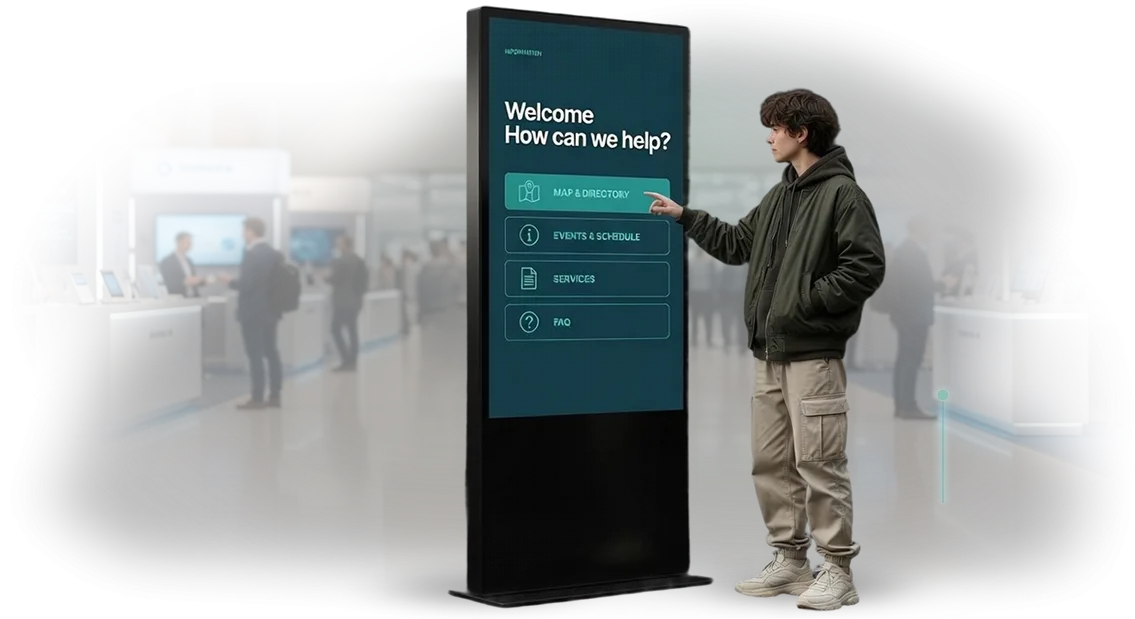
Hospital self-service kiosk: fewer queues at the clinic
Patients are tired of waiting. A 20–30 minute queue at the registration desk is a familiar sight in outpatient clinics and hospitals, and every conversation about it ends the same way: the person either goes to a paid clinic or postpones the visit. Even if the doctor is good, the first impression is formed in the lobby — where time is lost.
An electronic registration desk powered by a hospital kiosk removes the main pressure during peak hours. The patient independently books an appointment with the required specialist, receives a ticket and directions to the office — without talking to an administrator.
For the clinic, this means less staff workload and the ability to reassign employees to real issues instead of repeating the same schedule.
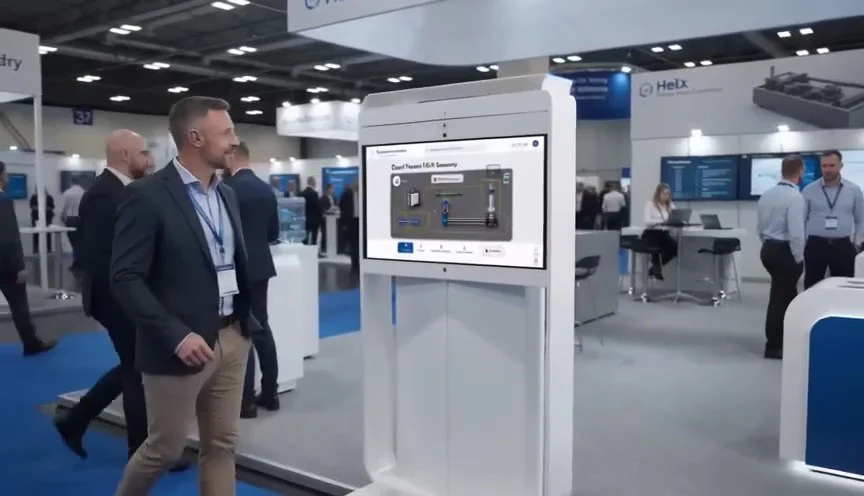
Patient self-service kiosks operate next to the registration desk or in the lobby, so implementation does not require remodeling. Patients quickly get used to them: the interface is clear, with hints and large buttons.
Elderly people manage in a couple of minutes, and young parents appreciate being able to see a doctor without leaving their child with strangers.
As a result, the queue at the clinic shrinks, and visitor flow becomes manageable. We help you choose a scenario for your clinic: from simple appointment booking to issuing test results and paying for services. All that remains is to install the equipment and train administrators — we handle the rest.
What clinic appointment automation delivers
Every extra hour spent in line at the registration desk is a lost patient. People are not willing to wait: they go to neighboring clinics or postpone their visit, while the administrator is forced to repeat the same thing instead of providing meaningful help.
The self-service kiosk removes the main irritant — waiting. The patient chooses the doctor, date, and time in a couple of minutes, without talking to an administrator. Registration takes seconds, peak-hour flow no longer stalls, and no crowd forms in the lobby.
Administrators gain control and relief. The system takes over routine operations — accepting and confirming appointments — while the staff handles complex cases and live inquiries.
Office occupancy data is visible immediately, so the schedule fills evenly without manual rewriting.
Fast service directly affects loyalty. A patient remembers a clinic where they don’t have to fight for a ticket, returns, and recommends you to friends. The growth of repeat visits automatically means more filled slots and higher revenue with the same resources.
Automation does not replace staff — it removes overload so the administrator works where a human is needed.
We configure the kiosk to fit your clinic’s logic and support the launch so the system delivers measurable results from day one: faster appointments, calmer patients, higher room occupancy.
Implementation formats: for lobbies, admission areas, and visitor flow
The format of a clinic kiosk is not a design question but a question of where exactly the patient encounters information.
A floor-standing terminal in the lobby, a wall-mounted one near the office, or a mobile stand in the queue — each option affects visitor flow and staff workload in its own way.
We choose the format based on the layout, traffic, and patient scenario, so the kiosk works rather than just taking up space. The patient does not have to wait in line just for a form — they find the right office, book an appointment, and get directions.
| Format | For whom | What it gives the client |
|---|---|---|
| Floor-standing terminal | Lobby, waiting area, admission room | Removes registration queues, routes visitor flow, collects data for appointments |
| Wall-mounted terminal | Corridors, department entrances, areas near offices | Quick access to a form or appointment without taking up separate space, compact placement |
| Mobile stand | Events, temporary points, peak hours | Flexibility: easy to move along with the flow, no remodeling required |
The choice depends on visitor numbers and layout: a spacious lobby with queues suits a floor-standing terminal, narrow corridors suit a wall-mounted one, and a mobile stand is convenient where the flow changes by the hour or during vaccination drives and preventive campaigns.
Our engineers will help determine the right option and calculate the number of devices so you don’t overpay for unnecessary functionality.
How a project goes: from audit to launch
We understand that for a clinic, the kiosk itself is not the only thing that matters; a predictable process that does not distract staff from patients is just as important.
That is why the entire project — from the first call to launch — is divided into clear stages with fixed deadlines and a point of responsibility. You always see what stage the work is at, what is ready, and what comes next.
Stages that all our projects go through
- Clinic and usage scenario audit. We study patient flows, entry points, the registration desk, and typical questions. We determine where the kiosk will deliver the most value: appointment booking, ticket issuance, service payment, department navigation.
- Brief and solution estimation. We record tasks, number of locations, desired functionality, and budget. The output is an estimate and deadlines that do not change during the process without your consent.
- Layout and interface approval. We present design concepts, screen structures, and workflows using real examples from your clinic. We make adjustments before a single line of code is written.
- Development and integration. We prepare the kiosk and connect it to your appointment and payment system. At each stage, you receive a demo version so you can evaluate how everything looks and works.
- Testing with real scenarios. We test the kiosk from the patient’s perspective: booking, ticket printing, payment, error assistance. We iron out rough edges before the device meets its first users.
- Launch and staff training. We install the equipment, set up remote monitoring, and give administrators a brief tutorial. The kiosk works from day one, and your employees know how to resolve any issue.
- Post-launch support. We monitor system performance, collect patient feedback, and suggest improvements. If a new feature is needed, we simply agree on the scope and timeline.
This approach eliminates situations where “it turns out something else was needed.” You see the layout, integration plan, and budget in advance, and you arrive at launch with a working solution rather than a raw prototype.
All stages are fixed in the contract — you know what you are paying for and what result you will get in the end.
What is included in the delivery: a turnkey package
When you order a kiosk for a clinic, you receive a complete turnkey solution rather than just a device. We are responsible for the full cycle — from selecting equipment and configuring software to delivery, installation, and launch. You won’t have to coordinate different contractors: we handle everything.
The delivery package includes:
- Equipment — a vandal-resistant touchscreen kiosk that withstands high loads and fits the interior of a medical facility.
- Software — an interface with doctor schedules, an electronic queue, and self-service appointment booking. Patients quickly figure it out without staff help.
- Installation and launch — we deliver, install at the right location, connect, and verify all scenarios.
- Staff training — a short tutorial for administrators and clear on-screen hints for patients.
- Warranty and service support — maintenance, software updates, and consultations for the entire service life.
- Integration with your system — if needed, we connect the kiosk to your existing appointment system or electronic health record so patients immediately see current schedules.
In the end, you get a working kiosk that relieves the registration desk and speeds up patient service from day one. We take care of the rest.
Case study: 40% fewer queues at a city outpatient clinic
For the clinic network «Evromed» Evromed we deployed information kiosks in three branches with the heaviest patient traffic.
The task was simple and painful: reduce queues at the registration desk and relieve administrators so they could handle complex issues instead of printing tickets.
Over two months of kiosk operation, peak-hour queues decreased by 40%. Average waiting time fell from 15 to 7 minutes, and the share of patients who booked or received a ticket on their own grew to 65%.
Most importantly, repeat visits became more comfortable: people come back to the clinic when they don’t spend half an hour in a live queue.
Numbers the clinic director saw
- Registration queues dropped by 40% during peak hours.
- 65% of patients use the kiosk without administrator assistance.
- Waiting time halved — from 15 to 7 minutes.
- Administrators freed up 3–4 hours a day for handling inquiries.
Older patients also quickly accepted the kiosks — large buttons, clear hints, and an administrator call button removed the main fear of “I’ll break something or get confused.” For the clinic, this means predictable staff workload and fewer conflicts in the lobby.
We are now scaling this solution to other branches of the network. The replication economy is obvious: the same project launches in a new building within 3–4 weeks, including staff training and interface adaptation to the department’s specifics.
How to choose an automation format for your clinic?
There is no one-size-fits-all solution for all clinics — the choice depends on the problem you want to solve and the budget you’re ready to allocate. For some, a terminal for booking appointments is enough; for others, a full navigation and service payment system is required. Therefore, the first step is not browsing the equipment catalog but analyzing your own needs.
Start with questions: what takes up most of the administrators’ time today? Where do queues and patient dissatisfaction most often occur? If it’s about appointments and scheduling, an information kiosk integrated with your system is enough.
If you need to fully offload the registration desk, you’ll need a terminal with payment, referral printing, and access to the patient’s personal account.
The size of the clinic also matters: for a small practice one device is enough, for a multi-specialty center several automation zones are needed.
Budget, however, does not always determine quality: a properly selected configuration for your processes delivers more effect than an expensive “all-in-one”. A well-chosen kiosk pays off by reducing staff workload and cutting service time.
Our engineers select the format to match the clinic’s tasks rather than just selling a box. We take into account patient flow, usage scenarios, and the existing appointment program so you pay only for features that actually work.
If you’re in doubt, start with one automation point and evaluate the result in a couple of months. This allows you to adjust the format before scaling to the entire clinic.
We’ll help you decide: send us a description of your tasks and budget, and we’ll offer two or three options with a cost calculation and payback assessment. That way you make a decision based on numbers rather than marketing materials.
Common concerns: what if the terminal breaks down?
Before buying, it’s important to understand who is responsible if the terminal breaks down and how that affects your operations. We answer pre-sales concerns — no technical details, only what affects your peace of mind.
What warranty comes with the terminal and what does it cover?
We provide a warranty on the equipment and software for the entire term specified in the contract. If a warranty case occurs, repairs or replacement are handled at our expense. You incur no unexpected costs.
What if the terminal breaks down in the middle of the workday?
You contact us through a dedicated channel — phone, email, or chat. Support is available around the clock, so even a nighttime failure won’t be ignored. Most issues are resolved remotely without stopping the registration desk.
How quickly will you come to repair or replace the equipment?
If the issue cannot be resolved remotely, we deliver a replacement or send a specialist within the timeframe agreed in the contract. We have a reserve pool of equipment, so replacement takes minimal time.
Will you learn about a failure before patients do?
Yes, our monitoring system tracks terminal status. If a device stops responding, we see it and contact you before the failure becomes noticeable to visitors. In most cases, we manage to fix everything in advance.
Your job is to see patients, not to monitor the equipment. We take on warranty, repair, replacement, and round-the-clock support so the terminal works when you and your guests need it.Leave a request — we’ll take care of your registration desk
Leave a request, and we’ll start with a consultation about your registration desk. We’ll analyze where visitors are lost, how much time appointment booking takes, and how a self-service kiosk will reduce the load on administrators.
You’ll receive an implementation plan and an honest assessment of whether this solution fits your clinic.
Right after your inquiry, we get to work and go the whole way to a working kiosk together with you. Here’s what the process looks like:
- Consultation — we discuss your tasks, patient flow, and current registration pain points. We answer questions and show similar healthcare solutions.
- Cost calculation — we prepare a transparent estimate: equipment, interface development, integration with your appointment system. No hidden fees.
- Specialist visit — an engineer comes to the clinic, assesses the installation site, electrical supply, network, and traffic. This is non-binding.
- Layout and approval — we show how the kiosk will look and work, taking into account the brand and patient scenarios. You approve the details before development starts.
- Development and setup — we create the interface in Russian, connect appointment booking, tickets, and payment. We test everything with real scenarios.
- Installation and launch — we install the kiosk, train staff, and launch it in test mode. We stay by your side at every stage.
Each stage takes from one to several days, and the full project usually takes several weeks. We don’t abandon you after launch: we stay in touch, monitor performance, and quickly update the kiosk if requirements change.
What you get after submitting a request:
- Consultation on registration optimization with no obligation
- Accurate cost calculation tailored to your clinic
- Specialist visit to assess the installation site
- Clear work plan with dates
- Fixed estimate with no additional payments during the process
Leave your contacts in the form below — we’ll call you back within one business day, answer your questions, and suggest a time for a visit. Your registration desk could operate 30–40% faster as early as this quarter.