Weak photo booth reception loses guests
Guests come to an event for emotions, not just to check in on a list. An ordinary photo booth with printed snapshots often goes unnoticed: the line appears and disappears, and the photos gather dust in the phones of a couple of people.
A weak photo booth reception is a missed opportunity to turn one-time visitors into a loyal audience that remembers the brand after the event.
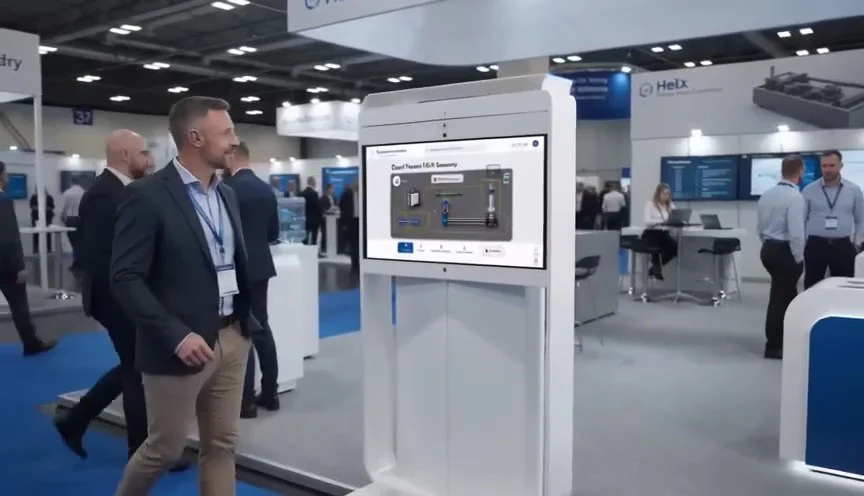
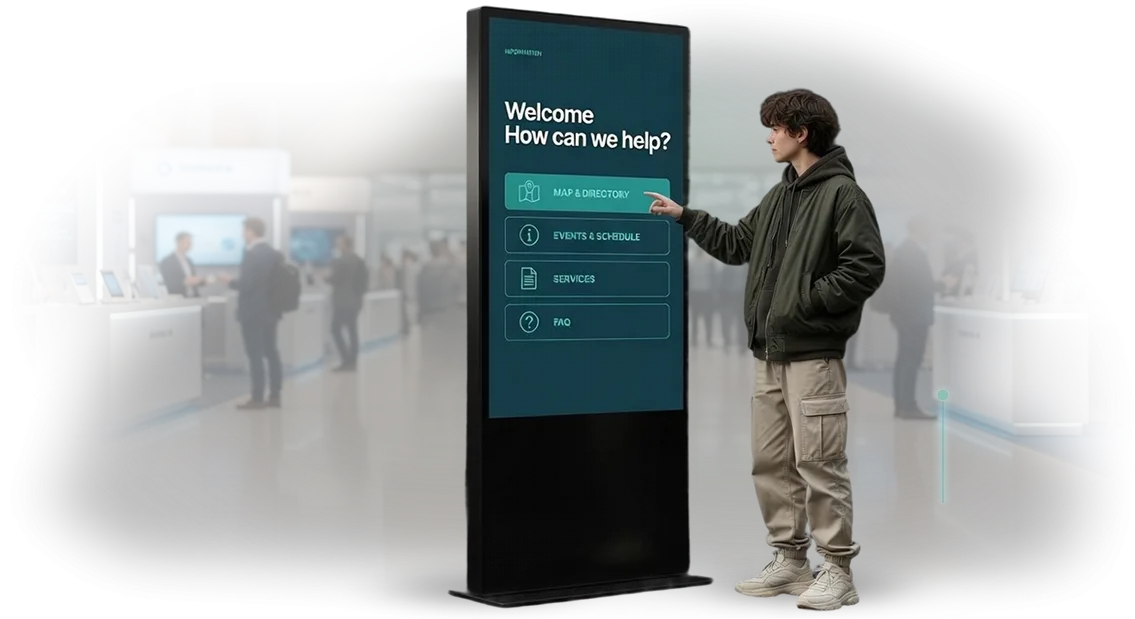
A modern interactive kiosk is not just a camera with a button, but a full engagement scenario. The guest sees animated prompts, chooses a background, takes several shots, and instantly receives the photo in a messenger or a publication in Instagram.
This format holds attention for 2–3 minutes, and each participant creates content that then continues to work for reach and recognition.
But if the interface is inconvenient, photos are not sent, or the kiosk freezes — the effect is the opposite. An irritated guest will not share photos, but will tell acquaintances about the failure.
Every detail affects loyalty: response speed, screen clarity, reliability of sending. This is what distinguishes a good photo booth reception from just “a box with a camera in the corner.”
We design software for photo booths and interactive kiosks specifically for event tasks. We configure the scenario, interface, and social media integration so that guests leave with a vivid impression and a willingness to return.
The organizer gets hundreds of publications and increased loyalty without additional advertising investment.
What you get from a reliable interactive kiosk
You invest in guest service and marketing, but ordinary stands with brochures do not work: information gets lost, contacts are not collected, the brand is not remembered.
An interactive kiosk covers these tasks in one point — it becomes a digital business card and an employee in one person.
Here is what you get from our solution:
- Guest delight. A bright touch interface holds attention for 2–3 minutes — even in line. Guests willingly interact with the kiosk, share impressions on social networks, and come back to you again.
- Brand recognition. The kiosk is designed in your corporate style: logo, colors, fonts, scenarios. Every touch of the screen works for brand recall, not just shows a picture.
- Lead collection. Built-in forms allow guests to leave contacts in a couple of clicks — this replaces paper questionnaires and increases the number of inquiries. You get a base for newsletters and repeat sales.
- Savings on staff. The kiosk answers typical questions, suggests routes, and presents services 24/7. While employees deal with live customers, the kiosk works for you.
- Measurable return. We connect an analytics system so that you see which scenarios guests choose and can improve content according to real demand.
Our engineers use a proven Android platform — this guarantees stability and data security. You get a reliable tool that pays off from the very first event: guest delight, new leads, and increased brand recognition.
Reception formats: from photo booth to information kiosk
Each format solves its own task: the photo booth creates emotions and entertains guests, while the information kiosk organizes visitor flow and answers typical questions.
The difference is not in the “hardware,” but in what result you want to get from the point of contact with the client. Below is a comparison of scenarios so that you choose the option for your task, not the “fashionable” format.
| Format | For whom | What it gives the client |
|---|---|---|
| Photo booth with printing | Events, exhibitions, parties | Guests leave with a souvenir, the brand gets hundreds of photos on social networks |
| Photo booth without printing | High-traffic areas | Quick engagement, digital photos and contacts as a keepsake |
| Information kiosk | Reception, halls, navigation | Employees are freed from routine, visitors find the necessary information themselves |
| Kiosk with payment for services | Clinics, salons, fitness | Payment without queue, fewer cashier errors, higher average check |
| Combined kiosk “info + photo” | Marketing promotion or showroom | The visitor gets something useful and pleasant, the brand gets client data and live content |
A photo booth is justified where the goal is emotions, viral content, and a memorable event. An information kiosk is stronger where you need to relieve staff, speed up service, and give visitors independence.
If you combine both scenarios in one device, you get a point of contact that both entertains and collects inquiries.
We will help you choose the format and configuration for your scenario: we will calculate traffic, think through the screen logic, and set up the collection of the necessary data.
You get not just a device, but a tool that pays off through increased reach, loyalty, and speed of service.
How the project goes: from brief to launch
We value your time and structure the project so that you always understand what stage you are at and what you will get in the end. No complicated technical routine — only clear steps for which we are responsible. You focus on the result, we take over the whole process.
- Brief and immersion in the task — we have a call, discuss where the kiosk will be located, who uses it, and what task it solves: entertaining guests, informing, collecting contacts. We record goals and expectations.
- Plan and estimate — we offer a concrete solution for your scenario, state the timeline and cost. No hidden surcharges — the budget is fixed before the start.
- Approval of the layout and logic — we show a prototype of the future screen: how it looks, what buttons, what scenarios. You make edits, we adjust until approval.
- Development and configuration — we create the software, connect equipment, set up printing, photo sending, and social media integration. We use professional tools — this guarantees stable operation on launch day.
- Testing on real scenarios — we check how the kiosk behaves with a large queue, communication failures, and inexperienced users. We fix everything before your client sees it.
- Launch and staff training — we install the system, conduct a short instruction for your employees, and hand over a clear guide. After that, the kiosk operates autonomously.
- Support and development — we stay in touch, answer questions, update the interface and functionality if business tasks change. You are not left alone with the equipment.
As a result, you get a ready-made service that benefits from the first day: entertains guests, collects data, or solves another task. And if new ideas appear, we already know your project and will connect quickly.
What is included in the delivery: a complete kit for your kiosk
You get not just a program, but a ready-to-work kit: licenses, documentation, training, and support. Everything is configured before launch, so the kiosk starts working on the day of delivery — you do not need to look for contractors or buy missing items.
- Software with a license — the kiosk interface is adapted to your tasks, without restrictions on the number of sessions and guests.
- Electronic documentation — clear instructions for installation, daily operation, and replacement of consumables, compiled for your employees.
- Administrative panel — you manage the content, promotions, and kiosk settings yourself, without contacting developers.
- Staff training — we conduct an online session for administrators: how to upload materials, change tariffs, and solve typical issues.
- Technical support — a dedicated communication channel during business hours, average response time is a few hours, not days.
- Program updates — we regularly improve the system and send new versions for free during the first year.
- Crash protection — automatic backup of settings and content so that the kiosk can quickly recover even after an emergency situation.
We transfer the entire kit in stages: first a beta version for testing, then the final build with documentation and training. Upon completion, you receive a certificate of completed work and access to updates.
This approach eliminates downtime and questions like “what to do if…” already on the second day of kiosk operation.
Case: how we increased guest loyalty by 37%
The chain of banquet halls Lighthouse Hall came to us with a typical pain: the photo zone at the reception is idle, guests walk past, and the rental budget does not pay off.
We proposed turning the photo booth into an interactive welcome kiosk: the guest takes a photo, receives a personalized card with the event name, and sees an animated invitation to the festive table.
In the first month of testing at two events, 78% of guests used the kiosk — instead of the usual 20–25% for a regular photo zone.
The average session time grew to three minutes: people did not just take pictures, they got involved in the process, sent photos to relatives, and discussed details.
After three months, the client switched to a permanent subscription and expanded the installation to all four venues.
The key result — guest loyalty after events grew by 37%. Guests mentioned “attention to detail” and “holiday atmosphere” 80% more often compared to events without a kiosk. The organizers received an analytics panel: number of sessions, peak hours, share of repeat guests. Now they plan scenarios for different audiences, not just set up a “photo zone.”
Here is feedback from the head of the department:
“Previously the photo booth was just entertainment, today it works for the brand. Guests remember the reception, and we see the numbers and understand what pays off. The team quickly adapted the scenario to our style — the solution justified itself already after two events.”
We do not tie ourselves to specific equipment: in this project we used screens that were already at the venue — this reduced the budget by a third. For other tasks, we will select professional equipment for your format. Tell us about your venue — we will suggest a scenario that will increase guest loyalty and pay off.
How to choose a kiosk format for your task?
The choice of format depends not on technical parameters, but on the task that the kiosk solves in the business. Guests at a wedding need emotions and photos, store visitors need a live showcase, restaurant clients need a memorable photo. The main thing is that the scenario fits your goal.
First, determine what is more important: to entertain guests, collect inquiries, or increase recognition. Then take into account the installation location and session duration — by these parameters we select the format and content.
| Format | For whom | What it gives the client |
|---|---|---|
| Compact photo booth | Weddings, holidays | Entertains guests, creates photos for social networks |
| Interactive kiosk | Shopping centers, exhibitions, showrooms | Holds attention, collects inquiries and contacts |
| Photo kiosk with printing | Restaurants, hotels, reception area | Gives a keepsake photo, creates repeat visits |
| Branded photo zone | Events | Increases brand recognition |
For a guest reception area, a compact photo booth with printing is most often chosen: the guest receives a photo in 10–15 seconds without delaying the queue. During pauses, the screen can easily be switched to the menu, promotions, or venue news.
If the task is to collect a contact base, choose an interactive kiosk with an inquiry form. The visitor leaves data themselves in a game or survey, and you get structured contacts without manual entry.
The main criterion is guest convenience and a measurable result. We configure the scenario, interface design, and printing rules for the task, and before launch we show how the effect will be measured: number of sessions, collected contacts, or mentions on social networks.
Frequently asked questions about kiosk development and support
Before ordering an interactive kiosk and photo booth at the reception (photo booth reception), clients always have questions — and that is normal. Main concerns: equipment reliability, development time, guarantees, and integration with current systems. We answer honestly and to the point.
What happens if the kiosk breaks down on the day of the event?
Breakdowns are rare, but insurance is included in every project. Before the event, we do a test run, and at the venue we keep a backup kit and an engineer on call. If the equipment fails, we will replace it within an hour, and guests will not notice anything.
How long does development take?
A typical scenario takes two to four weeks from the moment the layout is approved. For a simple photo booth, the time is shorter. We give the exact date after the brief and record it in the contract — this is an official obligation, not a promise of “we’ll see how it goes.”
What guarantees do you provide?
The warranty on equipment and software is valid for the entire period of cooperation. After launch, we stay in touch: we update scenarios, add functions, and help with components. For regular operation, we offer a service contract with an engineer visit.
Can the kiosk be connected to our systems?
Yes. The photo booth at the reception collects guest contacts, sends photos to email, and uploads data to your CRM or database. We set up the integration during development, so after launch everything works immediately, without follow-up modifications.
Order kiosk development and get satisfied guests
Guests remember not words but emotions — a photo kiosk gives exactly that and immediately starts working for your brand. Every photo sent to social networks is free advertising and a new reason to come back to you.
You just need to take the first step: tell us about your task, and we will offer a solution for your venue, event format, and budget.
After your inquiry, you receive:
- cost and timeline calculation for your task — without hidden surcharges or “surprises” in the estimate;
- a recommendation on the kiosk format: stationary, portable, or non-standard to match your corporate style;
- a clear work plan: from design approval to launch and staff training;
- an exact readiness date and control at every stage — you always know what is happening;
- a test run and support after delivery: while guests take photos, you take care of your own business.
We will start with a short brief: you describe where and how the kiosk will be used, and we prepare a calculation and implementation options. This usually takes one day.
Then we show examples of interfaces and offer the optimal configuration — without unnecessary functions, only what gives results.
Leave a request through the form on the website or write to us in a messenger — we will respond within a business day and immediately schedule a convenient time for a conversation.
Such a conversation is not binding, but already on it you will understand how your kiosk will look, how long development will take, and what the project will cost. The first step is yours, then we will bring the matter to satisfied guests.