Android kiosk app development: 5 mistakes that drive customers away
Customers leave the kiosk within 10-15 seconds if the interface feels complex or looks outdated. Yet the kiosk itself has already been paid for, the location rent as well, and the coveted payback never arrives.
An interactive kiosk that scares off visitors is not just lost sales — it is also a blow to reputation: people remember the negative experience and associate it with the brand.
Why does this happen? Most often because the information kiosk runs software written many years ago for other tasks and without considering today's user habits.
Slow loading, illogical menus, small buttons, missing hints — all of this turns an expensive device into a useless artifact in the corner of the hall. The visitor cannot figure it out and goes to a competitor where the desired service is two taps away.
Quality kiosk software development solves this problem. We design scenarios so that from the first screen the customer knows where to tap, and each next step brings them closer to their goal — ordering, payment, booking, or getting information.
At the same time, the system remains manageable for your staff: content and promotions can be updated without involving developers.
Stability is a separate story. A kiosk must work without failures during peak hours, because a crash in the middle of an order is not a technical error — it is a customer lost forever.
Our engineers ensure fault tolerance and remote device monitoring, so you learn about a problem before a visitor has time to get upset.
Properly executed Android kiosk development turns the kiosk from a cost source into a growth point: it reduces queues, increases the average check, and collects data on customer behavior.
The key is that behind the kiosk software there is a team that understands business objectives, not just programmers coding screens.
What you get from a modern kiosk: revenue and loyalty growth
A modern interactive kiosk is not just a screen with information — it is a full-fledged sales tool that works around the clock, never gets tired, and helps the customer make a decision faster.
For business, this means measurable revenue and loyalty growth right from the first months after launch.
The kiosk takes over routine tasks: it informs about products and services, takes orders, schedules appointments, and collects contacts. As a result, staff focus on live communication instead of repeating reference information, and visitors no longer stand in queues. This directly affects the brand impression and the desire to return.
| Kiosk format | Who it's for | What it gives the customer |
|---|---|---|
| Self-service terminal | Retail, fast food, cinemas | Cuts queues during peak hours, increases average check through upsells |
| Interactive catalog | Stores with a large assortment | Helps quickly find the right product, increases the share of customers who complete a purchase |
| Loyalty stand | Chains with repeat visits | Simplifies program registration, increases repeat order frequency |
In practice, results are visible immediately. For example, the coffee chain Дринкит cut queues in half after launching terminals, and the average check grew by 18% — the system suggested additional items to guests before payment.
After three months, the share of repeat visits increased by a quarter, and the costs of printing menus and stickers disappeared.
The main thing is that the kiosk pays off as an investment. It requires little floor space, works at any time, and collects analytics on what visitors actually care about. You get not just a device, but a sales channel that strengthens your brand and generates profit.
Kiosk project formats: choose a solution for your task
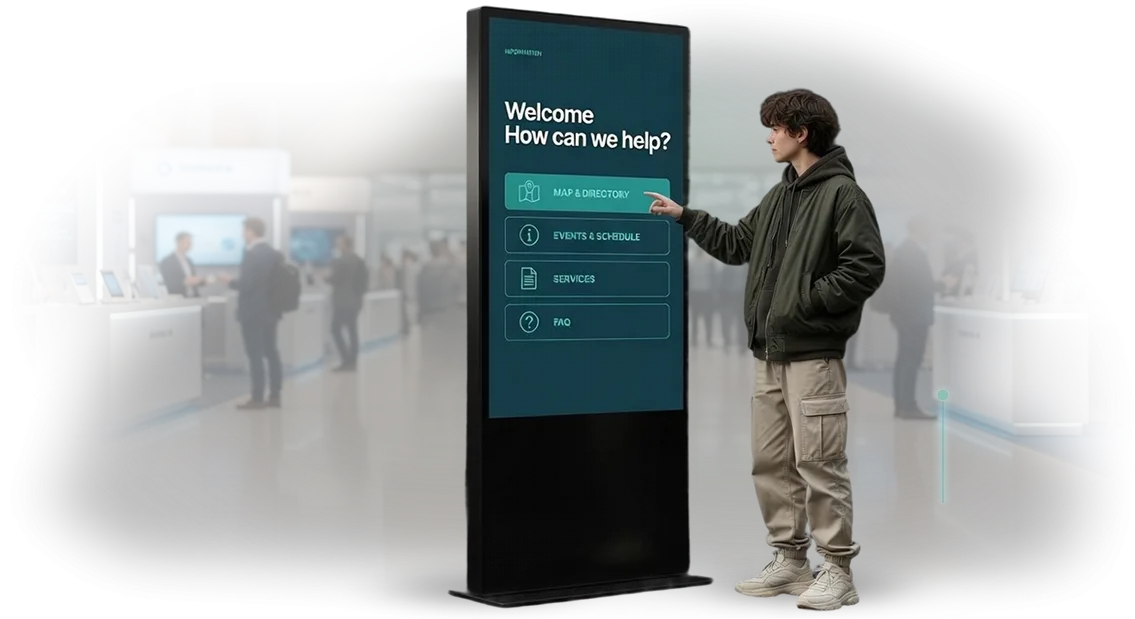
Any kiosk format is a tool that solves a specific business task: inform, guide, or sell. An information kiosk introduces visitors to services, a touchscreen replaces a consultant and helps with selection, and a checkout terminal accepts payments and relieves the queue.
The difference lies in goals and scenarios, so it is important to choose a format that fits your customer flow.
| Format | Who it's for | What it gives the business |
|---|---|---|
| Information kiosk | Museums, business centers, medical facilities | Navigation, reduced staff workload, quick answers to common questions |
| Touchscreen | Shopping malls, salons, showrooms | Product and service catalog, higher average check, consultation without a salesperson |
| Checkout terminal | Cafes, retail, cinemas | Payment without waiting in line, automatic order tracking, fewer cashier errors |
| Kiosk rental | Exhibitions, events, promotions | Temporary solution without purchasing equipment, flexible start |
We help you choose a format and do not sell a "box" — first we analyze your situation and customer touchpoints. Then the project moves through a transparent scenario, so you can see what the result will be before launch.
- Task analysis: we study visitor flow and their typical questions or actions.
- Format selection: information kiosk, touchscreen, checkout terminal, or a combination.
- Scenario design: we map the customer journey from the first touch to the desired action.
- Interface development and customization to match your brand style.
- Testing with real users and refinement based on their behavior.
- Launch, staff training, and delivery of simple instructions.
- Support and development: we add features as your tasks change.
As a result, you get not just a device, but a solution that noticeably improves service. Customers find what they need faster, cashiers manage to serve more people, and you get data on user behavior — the foundation for future improvements.
How we launch a project: 7 stages from brief to support
Understanding timelines and budget is key to launching a kiosk, so we have built a transparent process of 7 stages. You always know what stage the project is at and what you will receive in the end.
-
Brief and immersion — you describe who your visitors are and what functions they need. We ask clarifying questions to propose the optimal solution without overpaying for extras.
-
Plan and estimate — we prepare a development plan, timeline, and fixed price. You see the full scope of work and can add functions later without changing the overall budget.
-
Technical specification and design — we lock down all scenarios: navigation, sections, errors. We create a prototype and interface that will be clear to users and easy to update.
-
Development and approval — we assemble the system and configure remote updates and management. You receive intermediate versions — revisions are made before final delivery.
-
Testing — we check operation on real equipment: touch input, display, load. The kiosk is ready for daily scenarios and will not fail during peak hours.
-
Launch and handover — we install the system, protect it from accidental entry to settings, and connect analytics. We train staff to manage content independently.
-
Support and development — we stay in touch after launch: we update materials, add new screens, monitor stability, and quickly respond to failures.
What you get in the package: everything for kiosk operation
A full package is not just "software on a kiosk" — it is a working turnkey system. We take on all stages: from software setup to training your staff. You get a tool that immediately delivers value, without needing to refine anything yourself or understand the details.
Here is exactly what the project includes:
- Software development for your tasks. The interface, operating logic, and integration with your catalogs or database — everything is built around the specific scenarios of visitors and staff. Not a "box," but a solution that is convenient for you.
- Integration with your systems. The kiosk connects to your directories, loyalty programs, or booking services. Data is pulled automatically; you do not need to update anything manually.
- Equipment supply and installation. We select professional touch panels, deliver them, mount and configure them. The kiosk is ready to work immediately after connection — all you have to do is plug it in.
- Staff training. We show how to manage kiosk content, add promotions, or change information. Training is held in a convenient format — concise and without unnecessary theory, with hands-on practice on your device.
- Documentation and regulations. You receive clear instructions for operation and maintenance: how to replace content, what to do during a failure, how to monitor the kiosk condition.
- Long-term warranty and support. All work and equipment are covered by warranty. Our engineers stay in touch after launch — they help with questions and update the system when necessary.
This package covers all risks: you do not look for contractors piece by piece, do not hire a programmer, installer, and consultant separately. One team with a single responsibility for the result does everything.
Case study: how a kiosk doubled orders in a retail chain
The retail chain «Провинция» with 14 stores was losing up to 12% of customers at the checkout: the queue grew, and people left without waiting to pay. Cashiers answered the same questions — where a product is, whether a promotion is valid, how to process a return. This consumed time that should have been devoted to consultations and additional sales.
We proposed a simple solution: interactive self-service kiosks at three locations with in-store navigation, a promotions catalog, and self-checkout. The pilot was launched in four weeks — from interface approval to staff training.
Implementation results
The numbers appeared already in the first month: every second order was placed by visitors without a cashier. The average check through the kiosk grew by 18% — the system suggested related products at the moment of payment. Total revenue at the pilot locations rose by 12% over the quarter.
"The kiosk costs paid back in five months," says the chain's director.
"We did not expect such an effect: customers are learning the screens on their own, and cashiers are freed up for consultations." After the pilot, the chain ordered three more kiosks and scheduled launches in the remaining stores.
The case study shows how one tool changes retail economics: faster service, higher average check, stronger loyalty.
We adapt scenarios to your assortment and audience, and calculate payback before launch — you understand the return on investment period before signing the contract.
What to do if you need a non-standard kiosk?
If you have a non-standard kiosk, that is a working situation for us, not an exception. We usually hear the concern: "we won't fit into a standard solution." In practice, non-standard tasks account for half of our projects, and each is solved for a specific business.
First of all, we analyze what exactly should be the result: how the kiosk will fit into the space, how the visitor will use it, and which systems it should exchange data with. Individual requirements here are the starting point, not a limitation. After that, kiosk adaptation goes through scenario, design, and logic refinement.
Technical specifications appear after we understand the essence of the task. For example, for an outdoor kiosk we include a vandal-resistant housing and weather protection, and for an indoor one — a compact form factor.
If you need integration with a cash register, CRM, or inventory system, we integrate it all. You get a solution that works on your terms.
Quite often clients come to us with requirements that are not in catalogs: a complex product selection scenario, virtual fitting room queues, a multilingual interface, offline operation.
All of this is implemented within a standard project — engineers simply select suitable components and configure them for your specifics.
There is nothing "non-standard" about this: there is a task, there are technologies, and there is our responsibility for the result.
Tell us about your requirements — we will offer an option that solves the problem, not one that requires you to change it for the sake of the kiosk.
Frequently asked questions: clearing up doubts before ordering
We understand that questions about reliability, support, and timelines arise before launching a kiosk. To remove doubts, we have collected answers to the most common ones. If your question is not here, just ask your manager — we will tell you everything about your project.
What happens if the kiosk fails after launch?
We provide a warranty on equipment and workmanship for a period of 12 months or more. If a failure occurs due to our fault, we will restore operation free of charge and as quickly as possible. During repairs, we will try to provide a replacement device so your business does not stop.
Do interactive kiosks actually break often?
Modern industrial kiosks based on Android are designed for round-the-clock operation and, with proper maintenance, last for years. We use proven components and build in protection against overheating and power surges. Therefore, failures are a rare exception, not the rule.
How is maintenance organized and who performs it?
We can set up remote monitoring — we will see failures ourselves and warn you before they affect guests. On request, we will connect service support: we will come to the site, update the software, clean the screen, and replace worn parts. You can choose a plan — one-time support or ongoing.
How long does a kiosk launch take?
A typical project takes 3 to 6 weeks from the moment mockups and content are approved. It all depends on the complexity of the interface and integrations. We fix the timeline in the contract and stick to it. You will not have to guess when you will start seeing the first results.
If you want to learn more about warranties, support costs, or timelines for your specific task, leave a request — we will call back within one business day and answer all questions.Ready to discuss your project? Get an estimate and launch plan
You have seen how interactive kiosks speed up service and increase sales, but you hesitate to start because there is no clarity on budget and timelines.
Take the first step: leave a request for development, and we will prepare an estimate and launch plan that you can take into discussion.
What you will get after your request:
- Analysis of your task — we will figure out what the kiosk is for, who will use it, and which scenarios will bring real value to your business.
- Solution options — we will offer two to three configurations: from a simple interactive directory to a full multimedia system with integrations and an analytics platform.
- Cost estimate — a commercial proposal with a transparent breakdown: no hidden payments, with stage-by-stage details and the ability to optimize the budget.
- Launch timeline — a realistic schedule with checkpoints, so you understand when the kiosk will start working and when returns begin.
- Consultation — we answer questions about support, updates, and system development after launch, and help you choose the best option.
All of this does not obligate you in any way. If you decide to order a kiosk from us, you will get a working turnkey system. If not, you will still have a clear plan and budget estimate that you can use in negotiations with other contractors.
Leave a request — and tomorrow you will have an estimate and launch plan for your kiosk.