Why Visitors Get Lost: australian museum wayfinding Turnkey
Visitors come to the museum for impressions, but instead they wander through corridors for a long time looking for the right hall.
Losing visitors because of poor in-museum navigation is a familiar scene: people spend precious time on signage, miss key exhibits, and leave exhausted. As a result, the museum’s reputation, guests’ desire to return, and the number of repeat visits all suffer.
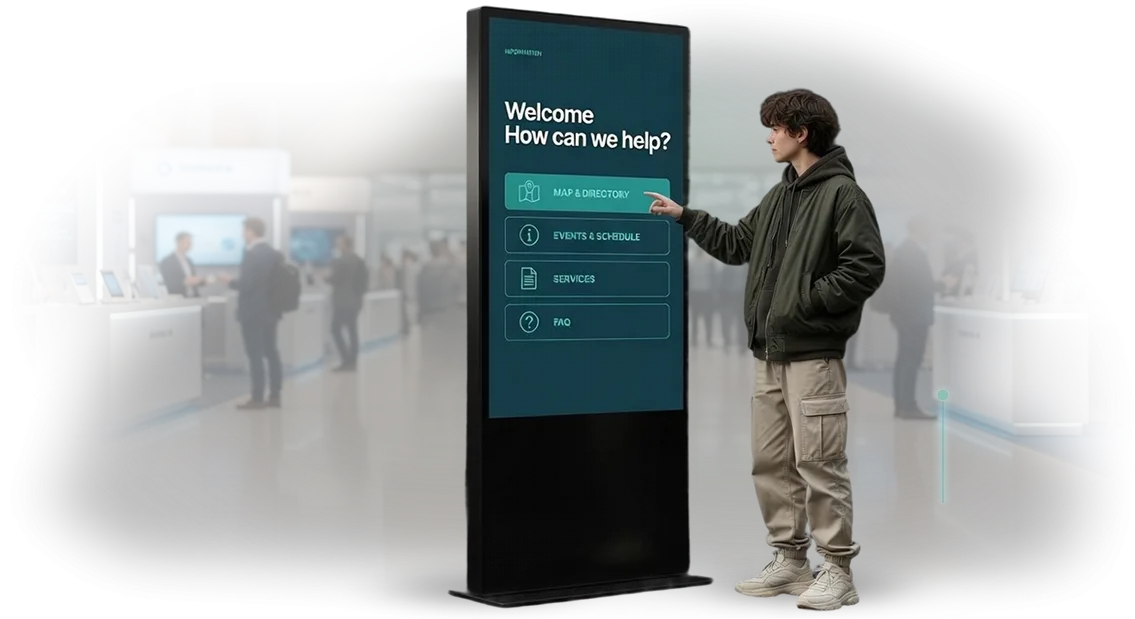
The solution is interactive kiosks that turn orientation into a simple and understandable process. Well-designed australian museum wayfinding suggests a route based on the guest’s interests, warns about temporary exhibitions, and reduces travel time to the desired point.
The visitor is no longer “lost” — they control their own route and get more enjoyment from the visit.
We create interactive kiosks turnkey: from the navigation concept to launch and ongoing support. The foundation is museum route logic, real visitor scenarios, and a clear interface accessible to people of all ages.
Our engineers use professional equipment and proven tools, so the system works reliably during peak hours — when hundreds of guests are in the museum at the same time.
As a result, museum navigation becomes intuitive, and visitors spend time on exhibits rather than on finding their way. This leads to more repeat visits, more positive reviews, and greater coverage of each exhibition.
We handle all stages of the work — from design to support — and deliver to museum management a ready-made tool that improves guest comfort and space efficiency.
What Proper Navigation Gives a Museum
Proper navigation is not about signs; it is a system that guides the visitor from the entrance to the key exhibits without doubt or fatigue. When a person can easily find their way, they are relaxed and open to impressions.
Poor navigation, on the contrary, makes guests anxious, causes them to skip halls, and ultimately leaves earlier than they planned.
We have compiled a “navigation checklist” for a museum — the things a well-thought-out orientation system affects:
-
Increased attendance: a satisfied visitor recommends the museum to friends and returns themselves. By our estimates, clear navigation increases the share of repeat visits by 15–20%.
-
Improved impressions: the guest spends energy on exhibits, not on finding the way. This directly affects how the visit is rated and how often the museum appears on social media.
-
Longer dwell time: the easier it is to plan a route, the longer a person stays in the museum and visits additional halls and temporary exhibitions. More time means a higher average check at the café and souvenir shop.
-
Reduced staff load: visitors ask for directions less often, and staff focus on meaningful tasks instead of repeating “turn left and go to the end of the corridor.”
This is not theory. One of our developments for the Australian museum Australian Museum showed: interactive kiosks with a hall map reduced visitor inquiries to the administrator by 40%, and the average viewing time increased from one and a half to two hours. That is what proper navigation looks like in numbers.
Want the same? Contact us — we will tell you what suits your museum.
Interactive Kiosk Formats for Museums
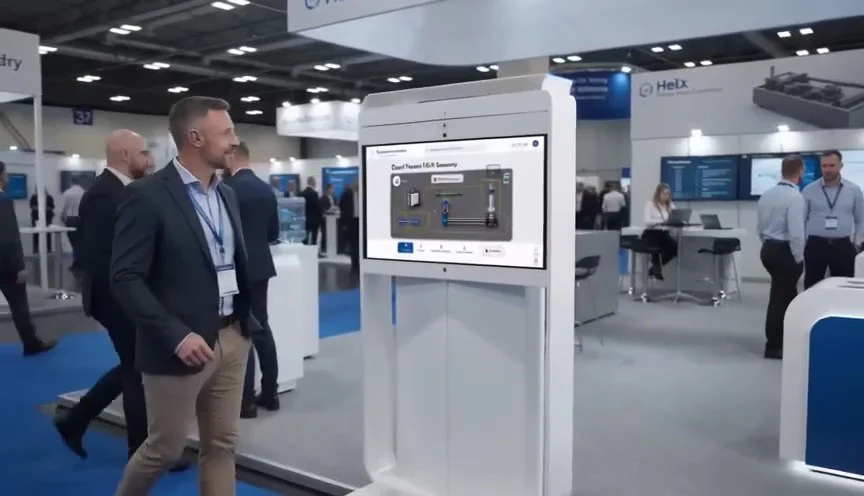
A museum visitor arrives with two questions: where to go and what to see. Interactive kiosks help answer them quickly and without involving staff, while also turning waiting into part of the exhibition.
We select the format according to the museum’s goals — from an interactive map to a multimedia guide.
Each format solves its own business task: navigation, content immersion, or attracting attention to an exhibition. For example, for large spaces with dense visitor flows, an interactive map is ideal; for deep engagement with exhibits, a multimedia guide works best.
Such kiosks are built on professional equipment and run stably even with high attendance, including museums with complex logistics, such as the Australian Museum (wayfinding here is one of the key scenarios).
At the same time, kiosks require no constant supervision, are easy to update, and fit into the interior.
Main Kiosk Formats
| Format | Who It Is For | What It Gives the Client |
|---|---|---|
| Interactive map | First-time visitors, large exhibitions | Fast navigation, fewer questions to staff, even visitor flows |
| Multimedia guide | Independent guests, families with children | Deep immersion in exhibits, additional content without a tour guide |
| Information kiosk | Adult audience, business visitors | Opening hours, tickets, and events in one window |
| Multimedia showcase | Temporary exhibitions, event zones | Attention attraction, photo zone, and social media coverage |
If you are not sure which format suits you, we will figure it out together. We will study the exhibition, visitor flows, and exhibition goals, suggest the optimal set, and install the kiosk turnkey. Support, content updates, and staff training are included in the service.
How We Develop a Kiosk: Project Stages
In our work on a kiosk, we use a proven process that dozens of projects for museums and tourist centers have already gone through. You get clear timelines, regular feedback, and no “black boxes”: every stage is approved before moving to the next.
- Brief and task audit — we meet with you, study the museum, its visitors, and the kiosk’s goals (navigation, information, engagement), and record requirements and success criteria.
- Prototype and user scenarios — we create the screen structure and navigation logic, test how a visitor will find the way to the right hall or exhibit, and approve it with you.
- Design and content — we adapt the interface to the museum’s style, write texts, and select images and videos so that the kiosk becomes part of the exhibition.
- Development and testing — we assemble a working kiosk and test it in real scenarios: queues, touch response, content updates, and failure behavior.
- Launch and team training — we install the equipment, configure it for your hall, train staff, and provide instructions.
- Support and development — we monitor performance, update posters, maps, and texts, and respond quickly to requests.
What Is Included in the Delivery: Kiosks for Wayfinding in a Museum
A navigation kiosk is useful only when the whole system works as one mechanism. That is why we deliver not just a device but a complete turnkey solution: hardware, software, content, and staff training are already included.
Below is the full list of what is included in the delivery. Each item is stated in the contract.
- Equipment. A touch panel in a vandal-resistant housing, thoughtful mounting, and cable management. Everything is already configured for your lobby and ready to work immediately after installation.
- Software. An interactive map with search by halls, exhibits, and service areas. Routes are built taking into account elevators and ramps, and updates are released without staff involvement.
- Content. Floor plans, exhibit descriptions, and “how to get there” hints. The interface design is created in the museum’s brand style so that the kiosk does not stand out from the space.
- Installation and configuration. Our engineers install the kiosk, connect power and network, and verify navigation scenarios. After launch, you receive a testing protocol.
- Staff training. We conduct an orientation for employees: how to turn on the kiosk, update content, and submit a support request. We leave a simple two-page guide.
- Warranty and support. We provide an official warranty on the equipment and software. Requests are processed within the time specified in the contract; issues are resolved remotely or with an on-site visit.
As a result, you get a working system, not a “box with a screen.” Staff are less distracted by questions about hall locations, visitors find what they need faster, and support already knows your project.
Case Study: How We Improved Museum Navigation
Task
A large museum complex in Australia faced a navigation problem: visitors got lost, spent up to 20 minutes finding the right hall, and missed key exhibits. Guests returned to the ticket desk with questions, and attendants had to explain the same route several times. Management wanted people to see more exhibitions and leave with an impression, not with irritation.
We proposed a system of interactive kiosks with a museum map, exhibit search, and personal routes: “in an hour,” “with children,” “by masterpieces.” The kiosks pointed out the shortest path and, if desired, sent the route to the visitor’s phone — along with a suggestion to visit the museum café.
For the museum, this is not just convenience: the impression, return rate, and revenue from the café, shop, and tours depend on how many halls a guest manages to see.
Result
After launch, the average time to the desired hall almost halved, and the number of halls viewed increased by 35%. Every second guest used the kiosk, and traffic to the café and souvenir shop grew by a quarter — that is additional revenue without advertising costs.
“We had long been looking for a solution understandable to both schoolchildren and tourists. Guests stopped asking attendants for directions, and we finally got a simple way to update exhibit information,” noted the director of the museum complex in Australia.
Today, more than 10,000 guests use the system monthly, and repeat visits have grown by 18%. The museum has already ordered an expansion from us: multilingual scenarios and integration with the audio guide.
Frequently Asked Questions About Kiosk Development
Before launching a project, clients most often ask about reliability, timelines, and maintenance. We answer the main questions — without technical details, straight to the point.
What happens if the kiosk breaks down?
The system is designed so that a failure does not stop operations for long: the administrator sees the problem in the control panel, and our engineers help remotely. If an on-site visit is needed, it is included in the warranty service.
How long does development take?
Usually from 4 to 8 weeks. At the start, we set a stage plan and keep you informed, so you know the completion date in advance.
Is it difficult to update content?
No. Through a simple panel, your employee can change texts and images without programming, and synchronization between kiosks happens automatically.
What warranty and support are provided?
The warranty covers the equipment and the program from the moment of launch. After that, you can add a maintenance contract — then we monitor the kiosks and respond quickly to requests.
Will the kiosk fit into our system?
Yes. We use proven integration tools, so we connect kiosks to your ticketing services, event database, or website. Before starting, we analyze your infrastructure.
Order the Development of an Interactive Kiosk for Your Museum
To start a project, you do not need to be a technical specialist. Order a kiosk — and we will handle the entire process: from idea to launch. You get a clear work checklist and see the result at every stage.
We have worked with museums and exhibition spaces, so we know how to make navigation convenient for all guests — schoolchildren, tourists, older visitors. When you order a kiosk from us, you get:
- A project for your museum: navigation scenarios, placement points, and interface design in the style of the exhibition.
- A transparent work plan: stages, timelines, responsible people — without unexpected delays or hidden work.
- A turnkey launch: installation, configuration, content loading — your team does not need to dive into technical details.
- Staff training: employees learn to manage the kiosk and change materials on their own.
- Post-launch support: updates, monitoring, and quick help if something needs to be refined.
- A warranty and official contract: we formalize obligations so that you feel at ease.
After launch, the kiosk works for your museum every day: it helps guests find their way, relieves attendants, and creates a modern image of the space.
If you are unsure which format suits you best, get a consultation: we will tell you about the options and offer a solution for your exhibition and cost calculated after audit.
How to Choose a Kiosk Format for a Museum?
There is no universal solution when choosing a kiosk for a museum.
The format is determined by the task you want to solve and the budget: navigation through halls, independent study of exhibits, a children’s play area, or an electronic guide require different structures, screen sizes, and control methods.
Therefore, the first step is to define what exactly the kiosk should do and what benefit it will bring to visitors.
The second selection criterion is the placement location and audience behavior. In a noisy lobby with heavy traffic, a floor-standing kiosk with a large screen and an intuitive interface that requires no preparation is more effective.
In a quiet hall next to an exhibit, a compact wall-mounted touch panel is sufficient. If you plan to engage groups, a horizontal table where several people can work at the same time is suitable.
It is also important to assess how often the content will change and who at the museum will update it. We select the format for the task so that you do not overpay for unnecessary options.
For example, for navigation in a large museum, a reliable kiosk with a map and hall search is enough — without excessive visual effects.
For an exhibition project, on the contrary, it is worth providing a touch screen with gesture support and the ability to quickly replace materials.
Our team helps you choose a kiosk from proven options and adapt it to the interior, budget, and usage scenarios. We take on interface development and control system setup so that the kiosk runs stably and without constant involvement from your staff. As a result, you get a solution that solves a specific task, not just a beautiful screen.