Free menu board software: Saving Your Restaurant from Queues
Every restaurant owner knows the cost of a waiting guest: the longer the queue at the checkout, the lower the average check and the worse the impression of the establishment.
During peak hours, staff physically cannot keep up with orders, and customers start to leave — these are direct revenue losses that are easy to calculate at the end of the month.
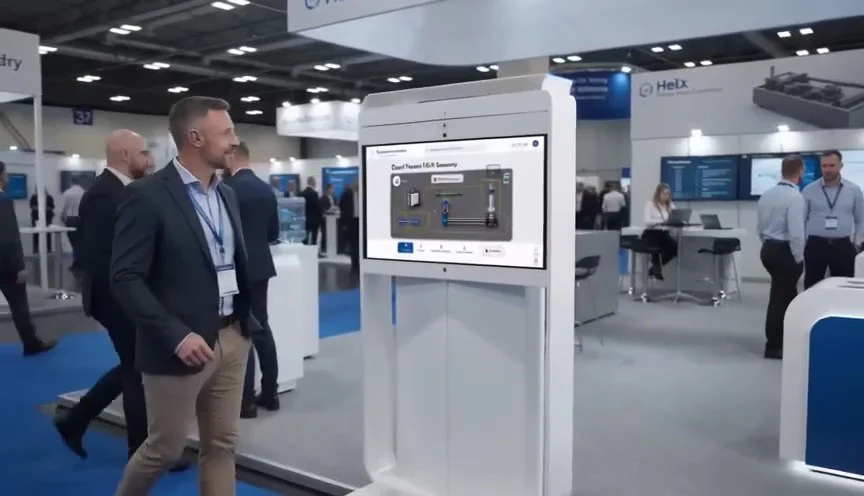
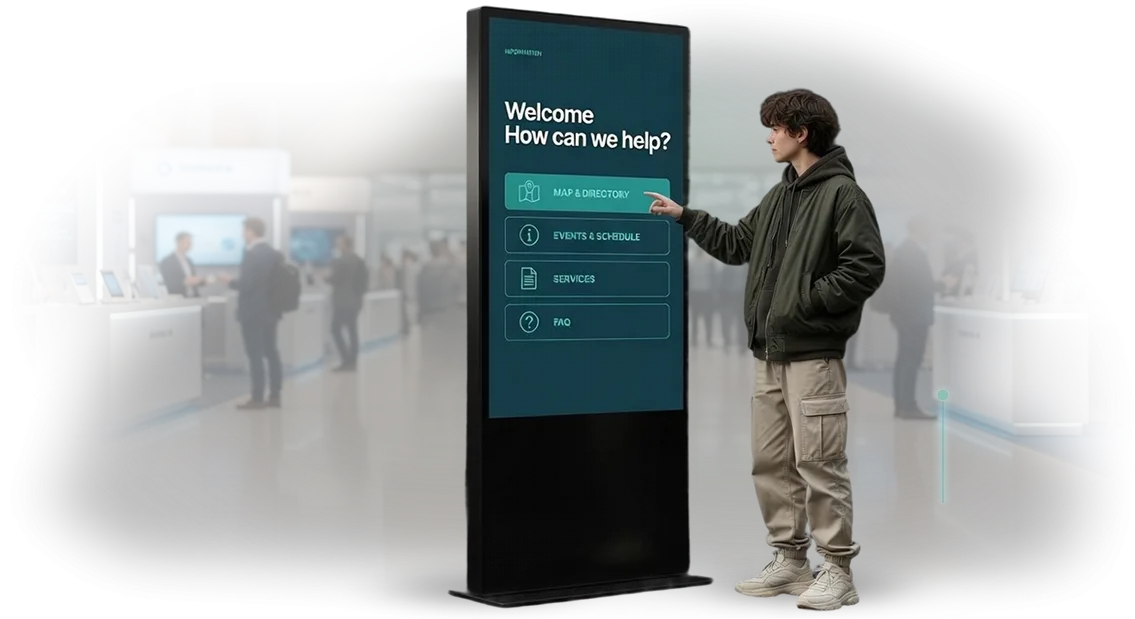
A solution that has already been proven in practice is a self-service kiosk with a free menu on screen. This software allows guests to browse dishes on their own, select items, and place an order without a cashier.
Service speed increases significantly: instead of spending three to four minutes at the checkout, a guest takes about a minute to order, while freed-up staff focus on handing out dishes and taking care of guests.
Moreover, free menu board software does not require major investments: the basic version of the program is free, and the necessary equipment pays for itself through faster service and a higher average check.
Guests are more likely to add drinks and desserts because they see appetizing photos and can choose calmly without worrying about holding up the line.
Implementing a self-service kiosk is not about replacing staff — it is about relieving them during the busiest hours. The restaurant gets a steady stream of orders, fewer errors in sending dishes to the kitchen, and more satisfied visitors who return again.
As a result, restaurant queues stop being a headache and turn into a managed process that works for your business.
What a Self-Service Kiosk Gives Your Restaurant
Implementing a self-service kiosk is not about replacing the cashier — it is a new sales channel that works without breaks and does not depend on employee moods.
Kiosks have already become the standard at McDonald's and other chains: guests are used to choosing for themselves, and the restaurant gets predictable revenue growth.
Benefit: Higher Average Check
Unlike a cashier, the kiosk never “forgets” to suggest an add-on. A larger portion, sauce, dessert, or an extra drink — the system subtly suggests add-ons to the guest’s main dish.
On average, the check grows by 15–30%: some guests agree to the upsell when they see the image and clear numbers on the screen.
Benefit: Service Speed
A guest places an order in 30–60 seconds, even if there is a queue of three people ahead. The server or cashier only needs to send the order and hand out the finished dish.
This reduces waiting time and increases the capacity of the dining area — especially during the lunch window, when every guest counts.
Benefit: Guest Loyalty
The kiosk remembers regular guests’ preferences: favorite drink, visit frequency, order history. Based on this data, you offer personalized discounts and recommend new items.
The guest feels cared for, returns more often, and brings friends — and the restaurant gets more repeat visits thanks to a simple interface and an understandable loyalty program.
The kiosk also reduces the load on line staff: cashiers switch to helping guests and quality control instead of manual order taking. This reduces turnover and hiring costs — another plus that is noticeable in the first month of operation.
Kiosk Formats for Your Tasks
Kiosk formats differ not only in appearance — service speed and average check depend on them.
In an establishment with a high flow of guests, a floor-standing kiosk takes the load off the checkout, while in a restaurant with servers, a wall-mounted or tabletop terminal gives guests independence and reduces waiting time.
We select the format based on your seating, menu, and guest scenario. Below is a basic comparison, and during the consultation we will show which option will pay off for your particular location.
Format Comparison
| Kiosk Format | Best for | What It Gives Customers |
|---|---|---|
| Floor-standing kiosk | Fast food, coffee shops, locations with queues | Fast order taking without a queue, automatic upsells, higher average check |
| Wall-mounted kiosk | Small cafes, dining areas with limited space, street display windows | Space savings, 24/7 order taking, easy updates for promotions and menus |
| Countertop touchscreen kiosk | Restaurants, bars, food courts | Guests choose dishes themselves, see photos and ingredients, less time spent on staff consultation |
| Tabletop format for the dining area | Restaurants with servers, hookah lounges, wine bars | Additional orders without waiting for a server, higher check and guest loyalty |
We adapt any of the formats to your brand: brand colors, logo, dish photos, and menu structure. You get management from a single panel — you change prices and promotions without a programmer.
Stages of Self-Service Kiosk Development
Developing a self-service kiosk is not about buying a ready-made box — it is a structured process that leads to measurable results: faster service, higher average check, and fewer order errors.
We guide you through every stage, from analysis to launch and support, so that the kiosk solves the tasks of your specific establishment rather than simply standing in the corner.
Below is how we work and what you get at each step.
-
Analysis of the establishment and its goals. We study your menu, guest flow, sales points, and staff pain points. We understand how the kiosk will fit into the sales process and how it will pay for itself.
-
Scenario design and prototype. We build the ordering logic: from dish selection to payment. You see and adjust the scenario before development begins — this saves budget and eliminates surprises.
-
Design in your brand style. We design the screens according to the restaurant concept and make navigation understandable for any guest. Large buttons, bright dish photos, and prompts increase the average check and reduce the number of abandoned orders.
-
Development and integration with your accounting system. We assemble the kiosk, connect it to the cash register, and set up automatic updates for prices and items. The menu changes on the screen automatically — without staff involvement.
-
Testing and launch. We test scenarios under conditions close to real life: peak hours, payment failures, refunds. We make sure the kiosk processes orders reliably, and only then open it to guests.
-
Support and development. After launch, we stay in touch: we monitor performance, update the interface, and analyze order statistics. You focus on the kitchen and guests, while the equipment runs without failures.
What Is Included in the Digital Solution for the Kiosk
By ordering a self-service kiosk, you get a turnkey solution ready for operation. This is not just a screen with a menu — it is a single integrated package that pays off from the first month and runs without failures. We handle all equipment, programs, and settings — all you have to do is use the result.
Below is the package you receive on launch day.
- Kiosk equipment: touchscreen, housing, system unit, and peripherals. Everything is selected for your format and premises, already configured and ready for the first order.
- Preinstalled software: digital menu, cart, payment processing, receipt printing. The system is updated and managed remotely — you do not need to call a specialist.
- Interface design: branding for your business, dish photos, and promotions. A beautiful menu attracts attention and increases the average check.
- Integration with your accounting system: orders are automatically sent to the kitchen, and sales and inventory data is synchronized with the cash register and warehouse.
- Launch and support: installation, connection, and staff training. Training takes a couple of hours, after which the kiosk operates without your employees’ involvement, and we stay available for support.
In the end, you get a working system that takes orders around the clock, reduces queues, and increases the average check. There are no additional costs for setup or finding contractors — everything is included in the price.
Case Study: How We Reduced Restaurant Queues by 40%
The fast-food restaurant chain Vilka came to us with a problem familiar to every restaurant owner: every shift, more than 800 guests came to the restaurant, and during the lunch hour a 15–20 minute queue formed at the checkout.
Up to a third of visitors left without ordering, and “waited too long” appeared more and more often in customer reviews.
We proposed moving ordering to self-service kiosks. We installed several kiosks in the dining area and on the summer terrace, trained staff to help guests at the touchscreens, and redirected cashiers to order handoff and table service.
A month later, we measured the results: waiting time during peak hours dropped by 40% — from 12 to 7 minutes — and the number of guests leaving without ordering fell by nearly half.
The average check grew by 18%: the kiosk screen suggests drinks and desserts, and guests happily add them to their orders.
According to the chain manager, the most valuable result was staff relief. Cashiers became guest assistants rather than “calculator machines,” turnover decreased, and guests began to mention speed and attentiveness in their reviews.
Three months later, the chain ordered kiosks for two more locations, and after six months — for all eight restaurants.
This restaurant case showed that a self-service kiosk is not just a replacement for the checkout — it is a tool for growing revenue and loyalty. The project paid for itself in four months, and the repeat order for the entire chain was the best confirmation of the result.
Frequently Asked Questions and Concerns Before Ordering
Before ordering a kiosk, restaurant owners have the same concerns: breakdowns, the difficulty of updating the menu, and unexpected expenses. Let’s address each one.
| Question | How We Solve It | What You Get |
|---|---|---|
| What if it breaks? | Remote diagnostics and fast replacement of components | Minimal downtime, guests can keep ordering |
| How do we update the menu? | Simple control panel, you make changes yourself | 2 minutes for a new item without a programmer |
| How much does it cost? | Full cost at the start, no hidden fees | Clear expenses and return on investment |
These questions come up with most clients, so we include the answers in the contract and operating procedures from the start.
What will happen to the kiosk after a year of active use?
The kiosk is built from easily replaceable components. Our engineers monitor its condition remotely, so most issues are resolved before they affect guests. If a breakdown occurs, we quickly deliver a replacement module.
Will we need to call developers to update the menu?
No. A control panel is included: the administrator changes prices, items, and discounts themselves. Changes appear on the kiosk immediately after saving. Training takes about an hour.
How much does it cost and what is included in the price?
At the start, we give you the full cost: the kiosk, installation, setup, and training. No hidden fees. We provide a warranty on equipment and work, and you add support only if you need it.
Order a Self-Service Kiosk for Your Restaurant
Service speed directly affects the average check and guest loyalty. A self-service kiosk takes the load off cashiers, reduces queues, and improves order accuracy — the restaurant earns more with the same staffing costs.
We take on the entire journey: from idea to launch and support. Leave a request — we will discuss your project, calculate the cost based on your menu, kitchen, and format, and show you a demo unit so you can evaluate the guest experience before purchasing.
We have experience launching kiosks in fast-food restaurants, coffee shops, and canteens — this helps us avoid common mistakes and speed up project delivery. You will work with an engineer, a designer, and a project manager, so you always know what stage the development is at.
What you get after your request:
- Cost calculation based on your visitor flow, menu, and number of dining areas — with no hidden fees.
- Consultation: we will assess whether a kiosk will pay off in your case, which dishes are worth featuring at the top, and how to increase the check.
- Demo unit: test the interface as a guest and as an administrator, and make changes before launch.
- Configuration selection for your interior and tasks: from a compact countertop unit to a full-size terminal.
- Turnkey launch: integration with your cash register system, menu setup, and staff training in one to two days.
- Post-launch support: quick responses to questions, updates, and feature development.
To order a self-service kiosk, leave a request on the website. We will respond within one business day and prepare a preliminary proposal with figures and timelines. There is no obligation at the first step — you make the decision after the demo and cost calculation.
How to Choose the Right Kiosk Format for Your Restaurant
Choosing a kiosk for your restaurant should start with questions, not models.
How many guests come through the dining area per hour, how is the queue organized, how complex is the menu — these factors determine whether you need a floor-standing terminal with a large screen or a compact wall-mounted tablet.
The kiosk format must match the logic of your establishment. For fast food with high traffic, a separate self-service zone is better — it relieves the checkout and reduces the queue.
In a restaurant with servers, a compact kiosk near the entrance works well: the guest browses the menu, builds an order, and sees the final total without waiting for a server.
Frequent menu updates, seasonal items, and upsells also affect the kiosk selection. Our team chooses a configuration that fits your interior and allows the administrator to change dish compositions without programmers.
We will prepare a kiosk for your goal: reducing queues or increasing the average check through smart prompts.
The key criterion is that the guest should not have to think about how to use the kiosk. An interface that is intuitive from the first touch generates more orders in the same time and reduces the load on staff.
That is why we start kiosk selection by analyzing the dining area and guest flow, and only then propose a format and operating scenario.
This way, you do not get “just a terminal” — you get a tool that pays off through service speed and repeat visits. Tell us about your restaurant — we will find the right format for your premises, kitchen, and budget.